Optional Downloads
Introduction
This is the second complete game that I have created using the DirectX library
(actually is the 3rd, but I lost the partial project of the 2nd one in some
of mine HD reformatting sessions). The game was created using a library
created by me (called cMain.lib), that works as a wrapper around the DirectX
library. The library source is included with the game source code so that you
can use it to create your own games. I'll start explaining how this library
actually works and them I'll explain how the game works.
Before you compile the project
Before you compile the project, make sure you have the DirectX SDK 8.0
installed (the DirectX SDK, not the run-time). If you have already installed
the SDK and are still having trouble compiling the project, check if the DX
include and library directory is the top of the list in VC++. If this
doesn't
work, just post a message or send me an email that I'll help you as soon as
possible.
The cMain Library
If you open the project workspace file (.DSW) you'll notice that the workspace
is composed of two projects. One project is the library project that works as a
wrapper for the DirectX library and have some other functions that are needed
in almost every game project. This library is composed of 14 classes, each one
with its own function in the game. I will explain each one of the classes so
that you understand their role in the game.
The cApplication Class
The cApplication class is basically a wrapper to a simple windows
program. Since we're working with DirectX here, this application class is also
responsible for creating the basic framework needed to use DirectDraw. In the
library we can find a global function that id responsible for the creation
of the application (WinMain). There you'll find a call to a CreateApplication()
function.
The CreateApplication() function is a virtual function that needs
to be create in the game project itself, and need to return a new instance of
an application class. This new instace will be your own application class,
derived from cApplication class.
There are three important virtual functions in the cApplication class that are
extremely important in the game creation process, they are AppInitialized,
ExitApp and DoIdle.
The AppInitialize is called when all the application startup procedures called,
so that you can start your own initialization procedures. The ExitApp is called
when we're exiting the game, and is used to destroy and deallocate anything
that was created in the AppInitialized function or during the game. The
DoIdle function is where the game actually happens. When we
don't have any
windows messages to process, the cApplication base class call this virtual
function, allowing you to process your game.
The cWindow Class
If you check the cApplication class, you'll check that it have a
cWindow class
instance. This cWindow class is responsible for creating the main window in the
game. This class is used only inside the library, and there is no need to
change its attributes during the game.
The cInputDevice, cKeyboard and cMouse classes
These three classes take care of the user input for our game. Since the Mouse
and Keyboard input rely on the DirectInput framework, we need a place to put
the DirectInput main objects initialization. This place is the cInputDevice
Class.
In the cInputDevice class we have a pointer to a DirectInput interface and a
reference count. The reference count is used to check how many classes are
currently using the DirectInput main interface. Notice that the reference count
and the interface pointer are static variables. This is done because the
cMouse
and the cKeyboard classes are derived from the cInputDevice class, and use the
same DirectInput main object.
The cKeyboard class take care of the keyboard entry. It have a static
variable that represents a buffer containing the state of each keyboard key.
This buffer is a static variable, allowing us to create a
cKeyboard instance anywhere in our code and use the same keyboard buffer (we read the
keyboard state once, and use it along the game iteration).
The cMouse class take care of the mouse input. It work very similar to the
cKeyboard class. Each time we call the Process() function, it change its
internal variables to reflect the current mouse position in the screen and the
state of each one of its buttons.
The cSurface and cSprite classes
The surface class is a wrapper around the the DirectX Surface object. It is a
structure that hold the game graphics in the video (or local) memory so that we
can blit this graphics in the screen at each game iteration. If you want more
information about this class and the process of surface blitting, you can read
my other article here in Code Project.
The cSprite class is a wrapper to work with sprites. Basically it have an
instance of the cSurface class and some information about the sprite. The main
difference here is that you can move through the sprite steps automatically,
without worrying about the position and size you need to get from the source
surface.
The cSoundInterface, cSound and cWavFile classes
These three classes are responsible for the sound handling in our game. The
cSoundInterface creates the main DirectSound objects that will be used to
create the sound buffers of the game. Its recommended that you initialize
an instance of this class in the AppInitialize virtual function of the
cApplication class, so that you initialize the Sound Interface before you start
the game.
The cSound class holds the sound buffers of the game. It have all the
compatibilities of a normal DirectSound buffer, like Frequency and Pan control,
3D sound, and looping. To load the sounds from the resource or from the file,
it uses an instance of the cWavFile class. This class is basically a loader for
wave files. All its code was taken from Microsoft DirectX Samples (I modified
then a bit, so that they work with WAV files in the resource).
The cMultiplayer and cMessageHandler classes
This classes are wrappers around the DirectPlay interfaces, and are
used to create multiplayer games. The cMultiplayer class handles all the
DirectPlay functions like device enumeration, session enumeration, and player
connection. It also hold all the information about each one of the players in a
gaming session. It is important to notice that each player have an exclusive ID
that is store in a list in the cMultiPlayer class. This IDs can be used to
control some behaviors of the game in a multiplayer session.
To handle the multiplayer network messages, cMultiplayer class have a pointer to
a cMessageHandler class. The cMessageHandler class is a simple class with a
virtual function. This virtual function is called each time the computer
receive a DirectPlay message from a peer. Its recommended that you derive your
application class from this cMessageHandler class too, so that you can pass the
application class itself as a message handler to the multiplayer game class (as
done in RaceX).
The cMatrix Class
This is a simple class used to create dynamic matrices. There's no big deal
about it, it have a Create method that allocates the necessary memory and a
Destroy() function to deallocate it. It also have a GetValue and SetValue
function used to retrieve and set the values of the matrix.
The cHitChecker Class
This class takes care of the hit checking in the game. It creates a GDI region
and use the GDI functions the test if something has hit the region or not. This
class is the same used in
my other article about hit checking. If you want more information about
it, just check the other article.
The Game Classes and Elements
Now that we have a brief description of each one of the classes in the game
library, let's take a look at the game project. The game project has a
dependency of the game lib project, if you load the .DSW file. Each one of the
classes in the game sample describes a unit of the game (the Game itself, the
Track, the Car, the Competition), so I'll explain each one so that you
understand how the game works.
The cRaceXApp
This class is derived from cApplication and from cMessageHandler. Since we
derive it from cApplication, we have to create an implementation to the
AppInitialize, ExitApp and DoIDle Functions.
In the
AppInitialize, we do the initialization of some objects that are not
initialize in the base class. Notice that in the cRaceXApp class we have some
member variables to handle the SoundInterface, the Multiplayer and the Mouse and
Keyboard Input. All this member variables are initialized in this virtual
function implementation, calling the Initialize method of each member variable.
Notice that in the initialization of the cMultiplayer instance we are calling
the SetHandler() function, passing this as a
parameter. We can pass the "this" as a parameter because our application class
is derive from cMessageHandler. Using this implementation allow us to
handle the DirectPlay network messages from our application class itself. You
can notice that we have an implementation for the IncomingMessage function.
This function is called when we receive a message from a DirectPlay peer (as
described in the cMultiplayer class description)
The other implementation we have in this function is the DoIdle() implementation.
The DoIdle is where the entire game logic is build. The first thing we do in
this function is check the m_iState member variable, to know at
which game state we are working. When you start the game, the game state is
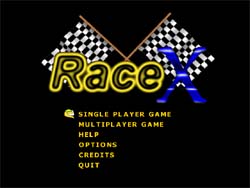
assigned with the GS_MAINSCREEN value, that represents the menu screen. You can
check the GS_MAINSCREEN case in the DoIdle function to see how the menu
structure is built.
Another important variable in the DoIdle implementation is the iStart
variable. This variable is used to know when we're changing from one game state
to another. When we change the game state, we set this variable to 0 so that in
the next iteration, when the base class call the DoIdle again, the new game
state can load all its surface and do the extra initialization needed. After
the game state initialize its objects, it sets the iStart to a value other
than 0 and reset it to 0 when it changes the state of the game again.
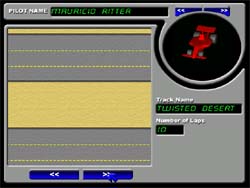
When the user select one of the game types in the menu screen (Single or Multi
Player, Single Track or Competition Mode), the game enters in the track
selection screen (or in the start competition screen). When the user enter in
the track selection screen the program initialize some other class
instances in
the cRaceXApp class, the cCompetition instance and the
cRaceTrack
instace. I'll
explain these two classes so that you understand how this screen works.
The cCompetiton Class
Even if the name states the this class is responsible for handling all the
competition stuff in the game, this class is used even in Single Track mode.
This class stores some basic information about each one of the players in the
game. When we start a game, we need to call the AddPlayer method of this class
do add players to our game. Adding player to this class makes them apper in the
race when we change the state of the game to GS_RACE. If you check the
GS_RACE
state, you'll notice that it uses the player list information in the
cCompetition class instance to create each one of the cars to the race. This
class also stores the points and position of each player in the case
we're
playing in competition mode, and its also responsible for telling the program
the track sequence of the competition (by using the NextRace and
GetNextRace methods).
The cRaceTrack Class
The cRaceTrack class takes care of the track creation and handling in the game.
Most of the game logic is inside this class. The first thing we need to do when
working with this class is load a Track from a Track file. The class have a
ReadFromFile method that is used to Load the tracks from a .rxt file (Race X
Track file).
When we load the track from the file, it fills the internal member variables of
the cRaceTrack class with information about the track. The track is structured
as a bidimensional matrix and each one of the matrix cells represent a road
type. When we draw the Track in the screen, we use this road type to draw a
40x40 pixels tile in the place corresponding to the matrix position. In the
track file, an array of DWORDs describe each one of those tiles in the track.
Since a DWORD can store 4 bytes we use only the LOWORD to store the road type.
The HIWORD of this DWORD array is used to store other
information, the
CheckPoints (in the LOBYTE) and the Angle Information (in the
HYBYTE).
The CheckPoint stored in the TrackFile is used to control the sequence that run
throught the Track. So if the car passed throught checkpoint 1, he needs to
pass through checkpoint 2 to fulfill the track, as so on until he reach the
last checkpoint. Using this checkpoint structure prevents the user to run
backward from the start line and pass through the start line several times,
increasing its Laps Completed counter. Since he needs to pass through
all the
check points, its mandatory the he runs the entire race path.
The race lap counter will only increment when we reach the checkpoint 1
again and the last checkpoint we have passed is the last check point we have
avaible in this track.
The Angle information is used to allow the computer to drive the car. It will
point the direction that the computer-driven car should head so that he can
finish the race. We'll now check the cRaceCar class so that we understand
what is the role of this angle information.
The cRaceCar Class
The cRaceCar class takes car of all the car behavior handling in the game. The
most important function of this car class is the Process function that
process the car behavior in each game iteration.
When we call the Process function the car class check how this instance of the
car is controlled. The car can be controlled by the computer, by the user or by
the network.
If the car is controlled by the user, the car class check the keyboard input to
see if the user is trying to accelerate, break or turn the car. Depending on
the information retrieved from the keyboard, the class call the Accellerate,
BreakCar, TurnCarRight or TurnCarLeft methods.
If the car is controlled by the computer, the car class checks the current
position of the car in the track and get the angle information associated with
this position. If the angle is different from the current angle of the car, the
computer turns the car to clockwise or anticlockwise. The computer always
accelerate the car when its driving, except when it checks that
it'll hit in a
wall he keep running at the same speed.
If the car is controlled by the "network" we need to check if we're the hoster
of the game or not. If we're hosting the game we need to process the car
information based on the keyboard input from the remote computer. If
we're not
the hoster of the game, we need to sned our keyboard infomation to the
multiplayer game hoster.
Putting it all togheter - Processing the Track
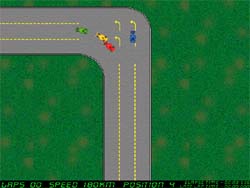
When we start a new race in the game, and the game state changes to
GS_RACE, we
create instaces of the cRaceCar object based on the information found in the
cCompetiton class. Then we call the AddCar() method of the
cRaceTrack class to add each one of the cars to the race in the track. After
adding all the cars to the race track we can process the race track class, in
order to play the game.
At each iteration of the game we call the Process() method of the
cRaceTrack class. In this method, we'll loop in the car array,
available in
the cRaceTrack, class to call the Process() method of each car and move them
around the track. We'll also use the cHitChecker class to check if each one of
the cars hit the wall or hit another car. If the car hit a wall, we change its
state to CARSTATE_CRASHEDWALL. The cars will keep running around the track
until the user car finish the track (have a Lap count equal to the number of
the laps in the track).
Final Words
I tried to explain the basic functionality of the game in the article, but there
are lots of comments inside the game sample that will help you to
understand the game much better. If you have any questions about the game
implementation just post a message or send me an email.
I want to send a special thanks to all my beta testers, in special to Colin J
Davies, Isaac Sasson, James T Johnson, Nishant Sivakumar, Nnamdi Onyeyiri and
Smitha (Tweety), for their effort finding bugs in the game, and for all
their suggestions.


