Introduction
After WPF was released without a DataGrid, Microsoft received loads of criticism! Thy have finally released the highly anticipated DataGrid (CTP)! Here is a short introduction on how to use the DataGrid
Required
Download the WPFToolkit here
To run my sample application, also install the Northwind database
Getting started
Create a blank WPF application and add a new item (LINQ-to-SQL Class). Drag the required tables from the Northwind database onto the design surface
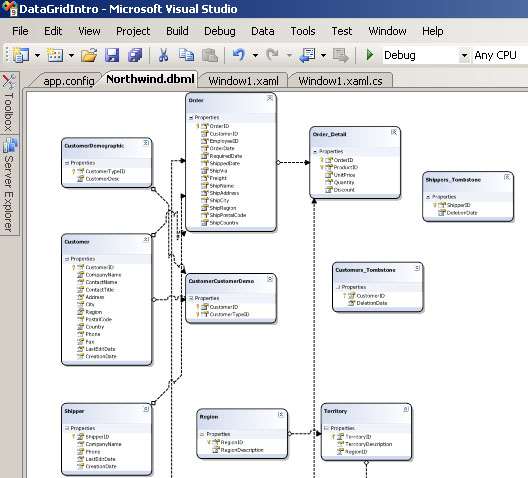
Now that we have a simple database to work from, lets add the DataGrid to our project. Add a refrence to WPFToolkit.dll and add the namespace to your main window's XAML
xmlns:dg="clr-namespace:Microsoft.Windows.Controls;assembly=WpfToolkit"
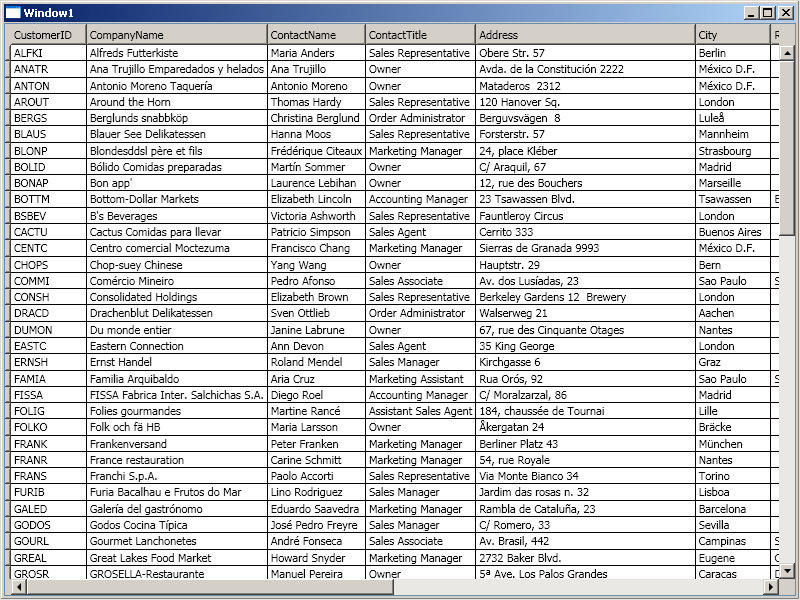
The simples DataGrid we can create is by adding the DataGrid in our window and setting the AutoGenerateColumns to True! This will automatically generate a column for each field in the table. I also gave the DataGrid a name so I can access it in my code-behind
<dg:DataGrid
    x:Name="NorthwindDataGrid"
    AutoGenerateColumns="True" />
All that is now left to do is get the table from the database (using my created LINQ-to-SQL class) and setting the DataGrid's ItemSource (The DataGrid inherits from ItemsControl)
private void Window_Loaded(object sender, RoutedEventArgs e)
{
    using (NorthwindDataContext dc = new NorthwindDataContext())
    {
        NorthwindDataGrid.ItemsSource = dc.Customers.ToList();
    }
}
And here is the DataGrid in its full glory…
That was easy, what else can this baby do?
By default, the DataGrid supports resizing, reordering, sorting, adding and removing. This behavior can be controlled with the following properties:
- CanUserAddRows
- CanUserDeleteRows
- CanUserResizeColumns
- CanUserReorderColumns
- CanUserSortColumns
On editing a cell, the following events gets fired...
- PreparingCellForEdit
- BeginningEdit
- CommitingEdit
- CancelingEdit
The DataGrid derives from MultiSelector allowing true multi row selection scenarios. The selection mode is controlled by setting SelectionMode to Single or Extended
The SelectionUnit can also be changed to only select a cell (DataGridSelectionUnit.Cell), row (DataGridSelectionUnit.FullRow) or cell/row (DataGridSelectionUnit.CellOrRowHeader)
The DataGrid also fully support clipboard copy/past
More Resources
- Read more about the full feature list of the DataGrid here
- Vincent Sibal also has some excellent content on his blog about the subject
As always, please vote for the article (And if you thought it sucked, please leave a comment telling me how to make it better in the future)
Rudi Grobler
http://dotnet.org.za/rudi
History
12-Aug-2008 - Initial version released


