Introduction
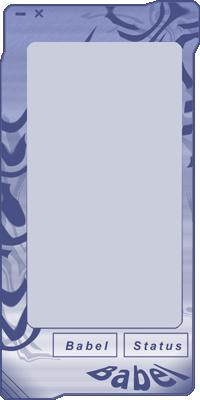
SkinStyle is a picture based skin system written in Visual C++/Win32 and loosely based on Cuneyt Elibol's MFC/SkinSys. The major difference is SkinStyle is written without any MFC. Much of the functionality found in SkinSys is not found in this version of SkinStyle.
Contents
- SkinStyle Source
- A Simple Example
Download Directories
Once you download and extract the files, you'll see several new folders. Here is what each are used for.
- Root : The SkinStyle Code
- SkinTest : An Example Project And Skin
Example
Create a class that inherits from SkinDialog
class KSkinTest : public SkinDialog
{
public:
virtual void OnKeyDown(WPARAM wParam, LPARAM lParam)
{
if ( wParam == VK_ESCAPE )
::PostMessage(m_hWnd, WM_CLOSE, 0, 0);
}
virtual BOOL OnButtonPressed(char *ButtonName);
};
Now lets look at how to handle buttons being pressed...
BOOL KSkinTest::OnButtonPressed(char *ButtonName)
{
if(strcmp(ButtonName, "BUTTON_EXIT") == 0)
::PostMessage(m_hWnd, WM_CLOSE, 0, 0);
else if(strcmp(ButtonName, "BUTTON_MINIMIZE") == 0)
::ShowWindow(m_hWnd, SW_MINIMIZE);
else if(strcmp(ButtonName, "YOUR_DEFINED_BUTTON") == 0)
{
}
return FALSE;
}
Once you have defined your new dialog class it can be used in WinMain like this
int WINAPI WinMain(HINSTANCE hInst, HINSTANCE, LPSTR lpCmd, int nShow)
{
KSkinTest win;
HWND hParent;
char *SkinFile = GetFile(NULL);
if(SkinFile[0] == 0)
{
GlobalFree(SkinFile);
return 0;
}
hParent = win.CreateEx("SkinTest",
CW_USEDEFAULT,
CW_USEDEFAULT,
hInst,
SkinFile);
GlobalFree(SkinFile);
win.SetSticky(true);
win.ShowWindow(nShow);
win.UpdateWindow();
return win.MessageLoop();
}
Skin file format
A Skin file consists of three parts (more to come later)
- [SCREEN] : This section contains the image files to display
- Mask : This specifies the mask image for the dialog
- Main : This specifies the main image for the dialog
- Down : This specifies the image displayed when a widget is pressed
- Over : This specifies the image displayed when the mouse is over a sensitive widget
- Disabled : This specifies the image displayed when the dialog is inactive
- [BUTTONINFO] : This section contains a numbered list of buttons to display
- #=BUTTON_NAME,x,y,width,height,TOOL_TIP,FALSE
- [TEXTINFO] : This section contains a numbered list of labels to display
- #=TEXT_NAME,FONT,BOLD(TRUE/FALSE),ITALIC(TRUE/FALSE),SIZE,COLOR(long),x,y,width,height,TOOL_TIP
For example:
[SCREEN]
Mask=Mask.bmp
Main=Main.bmp
Down=Selected.bmp
Over=Selected.bmp
Disabled=Main.bmp

[BUTTONINFO]
1=BUTTON_MINIMIZE,4,1,7,8,Minimize,FALSE
2=BUTTON_BABEL,12,425,43,19,Babel Preferences,FALSE
3=BUTTON_EXIT,196,1,7,8,Exit,FALSE
4=BUTTON_STATUS,119,425,25,19,User Status,FALSE

[TEXTINFO]
1=TEXT_STATUS,Courier New,FALSE,TRUE,-8,3496550,136,424,64,6,Offline,User Status
Problems/Bugs
At this stage I am unable to reload skins at run time? This is apparent in the sample app.
Additional Notes
This is by no means a finished product! This is my first attempt at writing a terribly complicated Win32 application library. I wanted something similar to SkinSys in functionality but without the overhead of MFC. There will be bugs and errors! I hope that you find this code
useful. If you have any improvements/suggestions, comments/flames, or questions please e-mail me or post here.
This member has not yet provided a Biography. Assume it's interesting and varied, and probably something to do with programming.



 General
  News
News  Suggestion
  Question
  Bug
Bug  Answer
  Joke
Joke  Praise
  Rant
Rant  Admin
Admin 


 Submit an article or tip


 ). Also, I noticed you're not really "skinning" the entire window, just it's client area. The non client area can also be skinned separately. Although MSDN says to avoid this, it's the way it's done in every big skinning project. The bad thing is there aren't any tutorials on skinning the non client area of a window or skinning the common controls and MSDN doesn't say how to do this. The skinning projects are all just improvised hacks. But as long as they look and feel good noone will ever say anything if it crashes