Introduction
While working on a fairly large MFC project with a large number of classes, I started using the folders
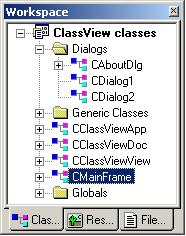
feature in the ClassView tab available in DevStudio to group classes in folders.
This is a very good feature in DevStudio which makes navigating through
all the classes very easy. Unfortunately, from time to time,
ClassView would 'forget' which classes it had put in what folders and
all my folders would end up empty or no folders altogether! This got
really annoying
after the second time I had re-arranged my classes. I had to look for a
solution!
Solution
After a bit of detective work, I found out that the class view information was stored in the xxx.opt (where
xxx - is the workspace name). Before I go on, I must stress that
the solution employs undocumented techniques, so please don't hold me responsible for DevStudio crashing and/or your ClassView not
appearing properly. So, how did I know that the class view information is stored in
the .opt file? The .opt file is a Structured Storage File. That
means, you can open the file with the DocFile Viewer (\Common\Tools\dfview.exe).
Go ahead give it a try! Under the root Storage folder are a
bunch of interesting streams. Ever wonder how your debugger remembers what variables you
had in the watch window in your previous debugging session? Or
DevStudio remembered the number of breakpoints set from session to
session? Have a look at the Debugger stream by double
clicking on the stream name. All streams have data and obviously the storage format
is undocumented. The stream I was
interested in is called the ClassView Window. While I don't know what else
is stored (probably
only the Class View information) in the stream, I was convinced that buried somewhere in the
stream data was the ClassView information. To confirm my suspicion I wrote
a little program to copy the ClassView Window stream from an old .opt file into the one that DevStudio uses
when a workspace is opened. The code (see snippet below) is pretty simple. First I
delete the stream from the destination file (the .opt file that DevStudio
reads from when opening a workspace) and then copy the one from the source into
the destination and then re-open the workspace and lo and behold my ClassView as it was in
my old file re-appeared!
CComBSTR strClassViewWindow("ClassView Window");
hr = spDestinationStorage->DestroyElement(strClassViewWindow);
hr = spSourceStorage->MoveElementTo(strClassViewWindow,spDestinationStorage,strClassViewWindow,
STGMOVE_COPY);
Whilst the app worked perfectly, everytime I wanted to
restore my ClassView i'd have to close the workspace, start the app, enter two
files (the old opt file that had the ClassView just as I wanted it and the
new one), restore the classview and re-open the workspace. Again, this
became quite frustrating after using it twice. So I
decided to convert the application into an add-in. The
add-in is generated using and Nick Hodapp's excellent add-in appwizard. The add-in also
uses some of his undocumented 'stupid' tricks as he calls them. I am not going
to go into the details of explaining how add-ins can
be written since there is extensive documentation in the MSDN.
Usage
Using the add-in is pretty simple. First and
foremost, install the add-in. See this page for installation
instructions
if you don't already know how to install add-ins.
After installing it, the add-in is now ready for use. Invoking the Add-In
will present you with a dialog as shown below.

You have a choice of saving your current Class layout or
restoring it from a previously saved layout. Obviously the first time
you'll be saving the layout to a .clv file (you can specify your own extensions
if you really want). Saving first saves your workspace, this forces
DevStudio to update the .opt file and then the add-in copies the ClassView
layout information into the specified file. When DevStudio craps your
ClassView layout, invoke the add-in and browse to your saved .clv file (you can
even drag and drop a file from explorer into the edit control). Clicking
restore will, close the workspace, restore the Class View information and
re-open the workspace. Obviously you'll have to update your 'old' .clv
file from time to time when you add new classes or change the layout. The
add-in remembers the old .clv file used the next time you invoke it for a
particular workspace. I could extend the add-in to automatically save
ClassView information every time the user closes the workspace (at least provide
such an option) but since I am hard pressed for time, either one of the readers
will be kind enough to do it, or just wait until I get the time.
Until then, I hope some people file this useful - I know I have. Use with
caution, please don't blame me, if you restore
your big projects' ClassView with some other projects' ClassView.
I haven't
tested this thoroughly i.e. on all kinds of configurations. I am pretty
confident it'll work on Windows 95, 98, Me, NT, 2000, XP etc.. with
DevStudio 6.0. I haven't tried this with DevStudio 5.0.
Thanks to
Oh, by the way check out this other add-in
i've written.
PS: I hope I don't get into too
much trouble with
you know who, I really needed my ClassView to work all the time!
;) If you like it drop me a line.
This member has not yet provided a Biography. Assume it's interesting and varied, and probably something to do with programming.



 General
  News
News  Suggestion
  Question
  Bug
Bug  Answer
  Joke
Joke  Praise
  Rant
Rant  Admin
Admin 


 Submit an article or tip


