Introduction
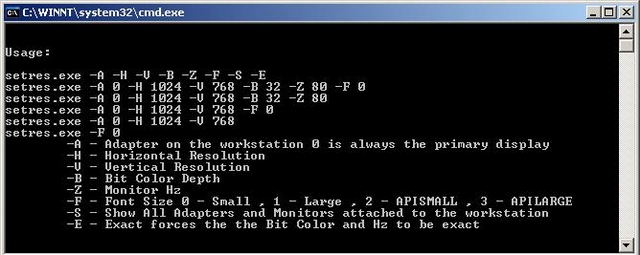
This article is about changing Windows Display Settings in C++. I created a CVidAdapter class that allows you to change display settings without having to know much about the underlying APIs. This class comes in handy when you are working on a project that requires you to set system resolution or font size as part of a build process. You can also use it in scripts once you have compiled an executable. The class will give you all the physical adapters on the system and name of the adapters as well as the virtual. You can filter for the types you want to query. For the most part, the functions are explained by the comments in the *.h file.
The class also has functions for changing the system font size which is not published by Microsoft! One method is by the API, and the other changes the registry directly.
Background
Futher API information in regard to setting system resolution and fonts can be found here.
History
- 1st February, 2006: Initial post
This member has not yet provided a Biography. Assume it's interesting and varied, and probably something to do with programming.




 Submit an article or tip
