Introduction
The latest Microsoft patch for Internet Explorer included a change to ActiveX requiring all interactive controls to activate before they can be used. This change has impacted web applications all over the world including Dundas products.
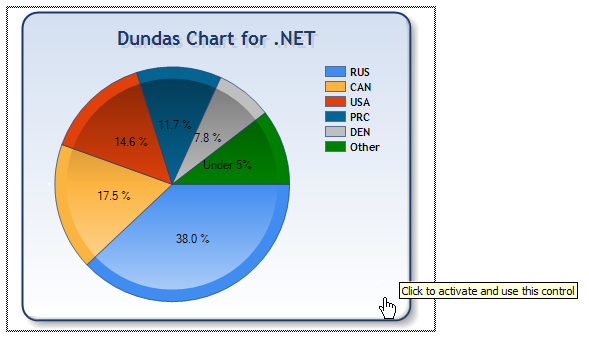
Figure 1: Chart rendered as a Flash image requiring activation
While the Chart can still be viewed fine after this patch as an image or an ActiveX object, the interactivity included in ActiveX objects, such as Flash, require a preliminary click by the user. This is not attractive functionality and fortunately Microsoft has released an article detailing how to fix it.
We have gone a step further and implemented a class library based on the Microsoft article that you can use with any web-control to automatically activate an interactive control. To use this class library, simply add the class to your solution and the namespace Dundas.Utilities to the webpage that uses a web-control that renders as an ActiveX object. As well, you may need to change the security for the root directory of the web application to allow your ASPNET user to write.
Next, the Page_Load event requires the following code (note that this.Chart1 is the web-control rendering as an ActiveX object):
AutoActivateControl autoActivateControl = new AutoActivateControl(this.Chart1);
That's it! Your control will no longer require activation before interactivity can be used.
How this control works
This control works based based on the notion that while Internet Explorer cannot activate any control embedded directly into it automatically, an object added to the page via an external JavaScript file can be automatically activated. As such, the control performs the following steps upon instantiation:
- Attaches to the
PreRender event of the web-control passed to it.
- Upon the
PreRender event, forces the web-control to render into memory instead of to the HTML output page and turns the Visibility property of the web-control to false so that it does not render to the output page.
- The control then creates a JavaScript file in the root folder of the application named embed.js (if the file is locked by another IIS thread, the control will create a more unique filename such as embed723.js).
- Once the file is created, a JavaScript line is added to it with the contents of the web-control's rendered output. It will look something like:
document.write('<object ...> ... </object>')
- The last step the control performs is to embed a line into the HTML output page that refers to this external JavaScript file:
<script src="/embed.js"></script>
A little more information
It should be noted that the information provided in this article is not a "trick" or "hack", it is implementation of the method recommended by Microsoft. The activation functionality in itself was caused by a patent violation involving interactive objects embedded directly in a browser. The method described in this article is allowed because embedding it in an external JavaScript file means that it is no longer directly embedded in the browser.
Also, please note that this is a direct implementation of Microsoft's recommendation and is very simplistic. While it does work in basic cases, it will require modification to work in most real environments. It is provided as a base for further modification by those who require this functionality.
Since 1992 Dundas Data Visualization has been helping companies all over the world visualize their data. Dundas products have a global reputation of being the highest quality, and are all designed, built and tested to meet the strictest requirements that developers and business managers demand.
Our showcase product is Dundas Dashboard, an easy-to-integrate digital dashboard software solution. Dundas Dashboard allows for the rapid and collaborative development of performance dashboards, helping companies leverage their business intelligence (BI) solutions.
Our web-based dashboard software comes with wizard interfaces, and a unique Dundas DashFlowTM process, allowing for the simultaneous development of an executive dashboard by business analysts, IT staff and database administrators. It also uses premier charts, maps, gauges and graph controls, letting end-users visualize their data as required.
Dundas also offers superb, world class consulting services for those companies that do not have the in-house expertise to implement their data visualization projects.
The quality of our products in conjunction with our unmatched technical support, numerous awards and years of experience reflect Dundas Data Visualization's commitment to being the best!



 General
  News
News  Suggestion
  Question
  Bug
Bug  Answer
  Joke
Joke  Praise
  Rant
Rant  Admin
Admin 


 Submit an article or tip


 .
.
