Introduction
Class CPictureEx was written for an MFC-project t
hat required support for banners in JPEG and GIF formats. Static banners weren't hard to display using the OleLoadPicture function and the IPicture interface, but dealing with animated GIFs was a whole different story.
Having rummaged through numerous Internet-links, I discovered that there's only one free option available - a COM-object by George Tersaakov on CodeGuru. Unfortunately, it had problems with displaying some of my test GIFs. Of course, I could buy a third-party library, but in that case, I would pay for an extra functionality (which I didn't actually need). I decided to give it a try and write my own class. The basic idea was to split a GIF into separate frames and display the frames with the familiar combination of OleLoadPicture and IPicture. After thoroughly reading through specifications of GIF87a and GIF89a, I wrote the class that I bring to your attention. Note that CPictureEx can display not only GIFs (including animated GIFs) but also JPEG, BMP, WMF, ICO and CUR (that is, everything that OleLoadPicture knows of). Later on, I wrote an ATL-version of the class.
How you use the MFC-version (CPictureEx)
Add a static text or a Picture control to your dialog (group box will do the trick as well); change the ID of that control to something like IDC_MYPICTURE; use the ClassWizard to associate a member variable (for example, m_Picture) with the control added, Category - Control, Variable type - CStatic; in your dialog's header file, replace the variable type from CStatic to CPictureEx (don't forget to #include "PictureEx.h" and add PictureEx.h and PictureEx.cpp to your project); in OnInitDialog (or anywhere you fancy), add these lines:
if (m_Picture.Load(_T("mypicture.gif")))
    m_Picture.Draw();
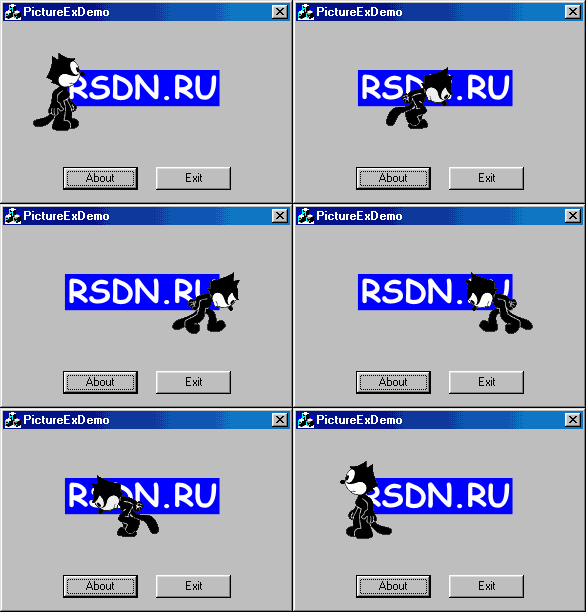
Sit back and enjoy the animation :)
You can also treat CPicture as a standard CStatic, and manually create it (you'll have to, if your host window is not a dialog) by calling CPictureEx::Create(), and then CPictureEx::Load and CPictureEx::Draw.
How you use the ATL-version (CPictureExWnd)
To use the ATL-version (CPictureExWnd), follow the same steps, but instead of using ClassWizard, manually add a variable of type CPictureExWnd in your class and add the following code to your WM_INITDIALOG handler function:
HWND hWnd = GetDlgItem(IDC_MYPIC);
if (hWnd) m_wndBanner.SubclassWindow(hWnd);
After that, you can call CPictureExWnd::Load() and CPictureExWnd::Draw(). Of course, you can also call CPictureExWnd::Create directly - CPictureExWnd is just another window with some extra functionality in its window procedure.
Interface functions
BOOL Load(...) - loads a GIF and prepares an object for drawing;
BOOL Draw() - draws the picture or continues animation;
void Stop() - stops animation;
void UnLoad() - stops animation and releases all resources;
void SetBkColor(COLORREF) - sets the fill color for transparent areas;
COLORREF GetBkColor() - gets the current fill color;
BOOL IsGIF() - TRUE if the current picture is a GIF;
BOOL IsAnimatedGIF() - TRUE if the current picture is an animated GIF;
BOOL IsPlaying() - TRUE if an animation is being shown for the current picture;
SIZE GetSize() - returns the picture's dimensions;
int GetFrameCount() - returns the number of frames in the current picture;
BOOL GetPaintRect(RECT *lpRect) - returns the current painting rectangle;
BOOL SetPaintRect(const RECT *lpRect) - sets the current painting rectangle;
CPictureEx[Wnd]::Load is available in three versions:
BOOL Load(LPCTSTR szFileName);
This version loads a picture from the file szFileName. The function's return type indicates the success of the loading.
BOOL Load(HGLOBAL hGlobal, DWORD dwSize);
This Load gets a handle to the global memory block, allocated with GlobalAlloc and GMEM_MOVEABLE flag. The function does not free the memory, so don't forget to GlobalFree it. The return value indicates the success of the loading.
BOOL Load(LPCTSTR szResourceName,LPCTSTR szResourceType);
The function gets a name for the resource with a picture and a name for the type of that resource. For example:
m_Picture.Load(MAKEINTRESOURCE(IDR_MYPIC),_T("GIFTYPE"));
After loading a picture, display it with CPictureEx[Wnd]::Draw() function. If the picture is an animated GIF, the function will spawn a background thread to perform the animation; if it's a still picture, it will be displayed right away with OleLoadPicture/IPicture. You can stop the spawned thread anytime with the CPictureEx[Wnd]::Stop() function. If you want to not only stop the animation but to free all its resources, use CPictureEx[Wnd]::UnLoad() (CPictureEx[Wnd]::Load() calls UnLoad() automatically).
By default, the picture's background is filled with COLOR_3DFACE (the background color of dialog windows). If you need to change the picture's background, call CPictureEx[Wnd]::SetBkColor(COLORREF) after calling CPictureEx[Wnd]::Load().
Version history
- 1.0 (7 Aug 2001) - initial release;
- 1.1 (6 Sept 2001) - ATL version of the class;
- 1.2 (31 Oct 2001) - various bugfixes:
- Fixed a problem with loading GIFs from resources in MFC-version of the class for multi-module apps. Thanks to Ruben Avila-Carretero for finding this out.
- Got rid of waitable timer in
ThreadAnimation(), now CPictureEx[Wnd] works in Win95 too. Thanks to Alex Egiazarov and Wayne King for the idea.
- Fixed a visual glitch when using
SetBkColor. Thanks to Kwangjin Lee for finding this out.
- 1.3 (18 Nov 2001) - a bugfix and new features:
- Fixed a DC leak. One DC leaked per each
UnLoad() (forgot to put a ReleaseDC() in the end of CPictureExWnd::PrepareDC() function).
- Now it is possible to set a clipping rectangle using
CPictureEx[Wnd]::SetPaintRect(const LPRECT) function. The LPRECT parameter tells the class what portion of a picture it should display. If the clipping rect is not set, the whole picture is shown. Thanks to Fabrice Rodriguez for the idea.
- Added support for
Stop/Draw. Now you can Stop() an animated GIF, then Draw() it again, it will continue animation from the frame it was stopped on. You can also know if a GIF is currently playing, with the help of IsPlaying() function.
- Got rid of math.h and made
m_bExitThread volatile. Thanks to Piotr Sawicki for the suggestion.
This member has not yet provided a Biography. Assume it's interesting and varied, and probably something to do with programming.



 General
  News
News  Suggestion
  Question
  Bug
Bug  Answer
  Joke
Joke  Praise
  Rant
Rant  Admin
Admin 


 Submit an article or tip


 ;P
;P  ...Thanks in advance
