Click here to Skip to main content

Using Google Co-op's Custom Search Engine

By , 27 Oct 2006
 

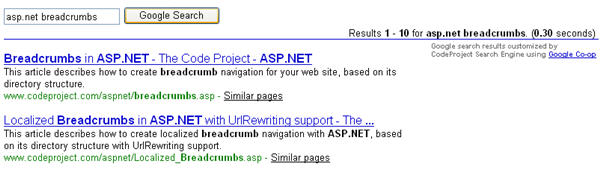
Sample Image - CustomSearchEngine.jpg

Introduction

This article shows how easy it is to create your own custom search engine using ASP.NET and Google Co-op’s Custom Search Engine feature.

Creating Your Search Engine

The very first step you must take is to visit http://www.google.com/coop/cse. (Note that you must have a Google Account. If you don’t have one, ask around. GMail invites are a dime a dozen these days.) Once there, follow the instructions to create your custom search engine.

For this article, I used the following settings:

Sites to Search

Sites to search: www.codeproject.com
How to search these sites: Search only these sites.

Collaborate with others

Who can collaborate: Only people I invite may contribute to this search engine.

Where to Host the Custom Search Engine

You have two options on how you can display your search engine to users: Google can host it for you, or you can host the search box and results on your site. For this article, I opted for the latter.

To configure this option:

  1. Return to the Google Co-op Custom Search Engine site’s home page (http://www.google.com/coop/cse).
  2. Click on the My Search Engines link.
  3. When the list of your custom search engines shows up, click on the link that says “Control Panel”.
  4. Next, click on the link that says “Code”.
  5. Select the radio button next to the option that says “Host a search box and search results on your own site…”.
  6. Also, specify the URL of the page on your site where you want the search results to appear.
  7. Finally, after you select the location where you want to display the AdSense ads in your search results, click the Save Changes button.

Search Box Code and Search Results Code

On that same “Code” page in your custom search engine control panel, you will see two multi-line text boxes containing JavaScript code. The first contains a small form that contains your search box, the second is pure JavaScript that aids in the rendering of your search results.

Using the Google-generated Search Box Code Outside of the Server-side FORM Tag

You can use the search box code generated by Google, provided you place it outside of your web form’s server-side FORM tag. I tested this locally, and it worked beautifully. However, I’m sure I’m not alone in wanting the ability to put the search box somewhere inside the server-side FORM tag and still have my custom search engine operate correctly.

Using ASP.NET Server Controls and HtmlControls to Emulate Google's Search Box Inside the Server-side FORM Tag

I solved this problem by using ASP.NET server controls and HtmlControls to emulate the behavior of Google’s search box form, while still providing the server-side capabilities that we all know and love.

You’ll need to reference the search box JavaScript/HTML code from the Custom Search Engine control panel. I simply included it in my ASPX page in an HTML comment. This is what it looks like:

<!-- SAMPLE CODE ONLY - REPLACE WITH YOUR OWN -->
<!-- Google CSE Search Box Begins -->
<form id="searchbox_014373149466545347614:dygl7dqicp4" action="Default.aspx">
  <input type="hidden" name="cx" value="014373149466545347614:dygl7dqicp4" />
  <input name="q" type="text" size="40" />
  <input type="submit" name="sa" value="Search" />
  <input type="hidden" name="cof" value="FORID:9" />
</form>
<script type="text/javascript" 
  src="http://www.google.com/coop/cse/brand?form=
       searchbox_014373149466545347614%3Adygl7dqicp4"></script>
<!-- Google CSE Search Box Ends -->

You’ll need four ASP.NET controls to mimic the functionality of this form:

  • A HiddenField control to mimic cx
  • A TextBox control to mimic q
  • Another HiddenField control to mimic cof
  • A Button control to mimic sa

I also added a RequiredFieldValidator to prevent postbacks from happening when the user tries to submit the search query with an empty TextBox.

Here are the control declarations from the ASPX file:

<asp:TextBox ID="q" MaxLength="512" Width="275px" AutoPostBack="false" runat="server" />
<asp:Button ID="_btnSearch" Text="Google Search" 
     OnClick="_btnSearch_Click" runat="server" />
<asp:RequiredFieldValidator ID="_rfvQ" ControlToValidate="q" runat="server" />

<asp:HiddenField ID="cx" Value="014373149466545347614:dygl7dqicp4" runat="server" />
<asp:HiddenField ID="cof" Value="FORID:9" runat="server" />

The “dummyHidden” Input Control

You’ll notice in the ASPX page that there is a plain HTML input control called dummyHidden that is never visible to the user. This is necessary in order to force the search button’s Click event to fire on the server side when the search text box has focus and the user hits the Enter key. This only works when there are two or more text boxes in the form. Based on my research, this appears to be an Internet Explorer-specific problem, and it was the only available workaround I could find. If you have a better solution, please let me know.

Finally, you’ll need to copy the SCRIPT include and place it somewhere in your ASPX page.

The Search Results

For this article, the search results are displayed on the same page as the search box. No ASP.NET emulation is necessary here. Simply copy the JavaScript code and paste it into your ASPX file where you want the search results to appear. Here is what it looks like in my ASPX file:

<!-- SAMPLE CODE ONLY - REPLACE WITH YOUR OWN -->
<!-- Google Search Result Snippet Begins -->
<div id="results_014373149466545347614:dygl7dqicp4"></div>
<script type="text/javascript">
  var googleSearchIframeName = "results_014373149466545347614:dygl7dqicp4";
  var googleSearchFormName = "searchbox_014373149466545347614:dygl7dqicp4";
  var googleSearchFrameWidth = 600;
  var googleSearchFrameborder = 0;
  var googleSearchDomain = "www.google.com";
  var googleSearchPath = "/cse";
</script>
<script type="text/javascript" 
  src="http://www.google.com/afsonline/show_afs_search.js"></script>
<!-- Google Search Result Snippet Ends -->

Code-behind: Button.Click

This is where the magic happens. Mercifully, Google uses the GET method to send form data, so we merely need to append our search parameters to the query string and redirect the user to the search results page. For this article, that means simply redirecting the user back to the same page, though the results could easily be displayed on a separate physical page.

The search query from the q TextBox and the HiddenField values are all needed in the query string. See the code below:

protected void _btnSearch_Click (Object sender, EventArgs e)
{
    if (!IsValid)
        return;

    Response.Redirect (
        String.Format(
            "Default.aspx?q={0}&cx={1}&cof={2}",
            HttpUtility.UrlEncode (SanitizeUserInput (q.Text.Trim ())),
            HttpUtility.UrlEncode (cx.Value),
            HttpUtility.UrlEncode (cof.Value)
            ),
        false
        );

    Context.ApplicationInstance.CompleteRequest ();
}

Important: Be sure to take the time to sanitize and URL-encode the user’s input. I have provided a basic function for doing so, but it is your responsibility to ensure that your applications are safe.

Code-behind: Page.Load

The last bit of code is in the page’s Load event handler. All it does is look for the querystring parameter q, and if it exists, it puts that value in the TextBox q so that the user can see the term for which they last searched. Note that this only happens when the request is not a postback. Because of the redirect, we can’t use ViewState to keep track of the last search term.

Again: Remember to sanitize all user input. Your application’s safety is your responsibility!

protected void Page_Load (Object sender, EventArgs e)
{
    if (!IsPostBack)
    {
        String query = Request.QueryString["q"];
        if (!String.IsNullOrEmpty (query))
        {
            q.Text = SanitizeUserInput (HttpUtility.UrlDecode (query.Trim ()));
        }
    }
}

Conclusion

Well, there you have it. With one simple ASP.NET form, we have created a custom search engine that searches only pages on The Code Project. Google Co-op has done an extraordinary job in making this such a simple task for us end users.

History

  • 2006-10-27: Initial release.

License

This article, along with any associated source code and files, is licensed under The Code Project Open License (CPOL)

About the Author

Jon Sagara
Software Developer (Senior) Sagara Software, Inc.
United States United States
Member
Jon graduated from Cal Poly with a B.S. Computer Engineering. He is currently building a Silverlight-based report scheduling interface for a pharmaceutical reporting company.
 
When he's not fooling around with computers or reading, he's busy spending time with his super wife, Kelly, his two boys, and their rambunctious dog, Homer.
 
Visit my blog
 
---
 
View my old profile pictures

Sign Up to vote   Poor Excellent
Add a reason or comment to your vote: x
Votes of 3 or less require a comment

Comments and Discussions

 
You must Sign In to use this message board.
Search this forum  
    Spacing  Noise  Layout  Per page   
Questioncustomize outputmemberdafuq6 Jan '12 - 1:27 
is there any ways of customizing output? i mean change title size, description color and etc... if it's so how can it be done?
AnswerRe: customize outputmemberJon Sagara9 Jan '12 - 7:31 
I've never done it, but looking at the docs, there appears to be at least some level of customization available to end users:
 
http://code.google.com/intl/en/apis/customsearch/docs/ui.html[^]
Jon Sagara
 
Some see the glass as half-empty, some see the glass as half-full. I see the glass as too big.
 
-- George Carlin

 
Blog | Twitter | Articles

QuestionThanksmemberXmen W.K.19 Jun '11 - 9:04 
Thumbs Up | :thumbsup:

TVMU^P[[IGIOQHG^JSH`A#@`RFJ\c^JPL>;"[,*/|+&WLEZGc`AFXc!L
%^]*IRXD#@GKCQ`R\^SF_WcHbORY87֦ʻ6ϣN8ȤBcRAV\Z^&SU~%CSWQ@#2
W_AD`EPABIKRDFVS)EVLQK)JKQUFK[M`UKs*$GwU#QDXBER@CBN%
R0~53%eYrd8mt^7Z6]iTF+(EWfJ9zaK-i’TV.C\y<pŠjxsg-b$f4ia>
-----------------------------------------------
128 bit encrypted signature, crack if you can

GeneralSearch Results on a Different Page?memberChristopher Irwin7 Jun '11 - 8:06 
Thanks for the article. Extremely helpful! Thumbs Up | :thumbsup:
 
I'm wondering if there is a way to redirect the search results to a different page. This way, I can have the search box at the top of each page (in the MasterPage) and have the visitor redirected to the searchResults.aspx page.
 
Smile | :)
GeneralRe: Search Results on a Different Page?memberJon Sagara9 Jun '11 - 7:33 
I haven't tested this, but, it seems to me that you could have your search button event handler in the master page. When the user clicks the button, redirect them to searchResults.aspx (with the query string parameters appended) instead of Default.aspx.
Jon Sagara
 
Some see the glass as half-empty, some see the glass as half-full. I see the glass as too big.
 
-- George Carlin

 
Blog | Twitter | Articles

GeneralRe: Search Results on a Different Page?memberChristopher Irwin9 Jun '11 - 8:04 
Thanks Jon. I'll give that a try.
 
Smile | :)
GeneralIsValid is not declaredmembervipernet027 Nov '10 - 15:28 
I converted the script to VB using http://www.developerfusion.com/tools/convert/csharp-to-vb/[^]
 
Any help why Im getting a isValid is not declared error?
Partial Class Site
    Inherits System.Web.UI.MasterPage
#Region "Instance Methods -- Event Handlers"
 
    ''' <summary>
    ''' When not a PostBack, if there is a query string parameter named "q" that is not empty, 
    ''' put its contents in the "q" textbox so that the user can see what they last searched for.
    ''' </summary>
    ''' <param name="sender"></param>
    ''' <param name="e"></param>
    Protected Sub Page_Load(ByVal sender As [Object], ByVal e As EventArgs)
        If Not IsPostBack Then
            Dim query As [String] = Request.QueryString("q")
            If Not [String].IsNullOrEmpty(query) Then
                q.Text = SanitizeUserInput(HttpUtility.UrlDecode(query.Trim()))
            End If
        End If
    End Sub
 
    ''' <summary>
    ''' Using the Google form field values, redirect to this page with those values in the URL's
    ''' query string.  Google's JavaScript will pick up these parameters, perform the search, and
    ''' display the results on your page.
    ''' </summary>
    ''' <param name="sender"></param>
    ''' <param name="e"></param>
    Protected Sub _btnSearch_Click(ByVal sender As [Object], ByVal e As EventArgs)
        If Not IsValid Then
            Return
        End If
 
        Response.Redirect([String].Format("Site.master?q={0}&cx={1}&cof={2}", HttpUtility.UrlEncode(SanitizeUserInput(q.Text.Trim())), HttpUtility.UrlEncode(cx.Value), HttpUtility.UrlEncode(cof.Value)), False)
 
        Context.ApplicationInstance.CompleteRequest()
    End Sub
 
    ''' <summary>
    ''' Strip tags from user input.
    ''' </summary>
    ''' <param name="text"></param>
    ''' <returns></returns>
    Private Function SanitizeUserInput(ByVal text As [String]) As [String]
        If [String].IsNullOrEmpty(text) Then
            Return [String].Empty
        End If
 
        Dim rxPattern As [String] = "<(?>""[^""]*""|'[^']*'|[^'"">])*>"
        Dim rx As New Regex(rxPattern)
        Dim output As [String] = rx.Replace(text, [String].Empty)
 
        Return output
    End Function
 
#End Region


End Class
 

GeneralWidth of iframe too largememberanemiccolo1 Feb '10 - 10:05 
I can't find anyway to make the iframe smaller or edit the way my results look for that matter.
 
How can I use Google's CSE and customize how my results look?
GeneralRe: Width of iframe too largememberJon Sagara1 Feb '10 - 10:37 
anemiccolo,
 
It has been quite some time since I played with Google CSE, so I apologize that I am unable to provide more help other than a link to Google's CSE docs:
 
http://code.google.com/intl/en/apis/customsearch/docs/ui.html[^]
 
Best of luck,
 
Jon Sagara
 
Some see the glass as half-empty, some see the glass as half-full. I see the glass as too big.
 
-- George Carlin

 
.NET Blog | Personal Blog | Articles

GeneralForms authentication and Google Custom SearchmemberGeorg Kakasevski14 Jan '10 - 7:41 
Hi Jon, do you now how to implement Google Custom Search Engine in ASP.NET application where users must be authenticated (using Forms authentication)?
 
www.masterint.mk

GeneralThanks!membervegeta4ss10 Nov '09 - 5:09 
This article was exactly what I was looking for. Thanks for sharing!
GeneralSame as CodeProject CSEmemberAnand@DotNet28 Jun '09 - 21:50 
I need exact search as codeproject cse has, in this sample application when i enter the search string it will search in its own site, i also want the same search engine that will work for only my site.
guys plz help me out, all things are done, but still it search in google index not mine.
GeneralWill target to our site only...memberAnand@DotNet28 Jun '09 - 20:26 
i have create and configured the CSE for my site, but when i search for a keywords it will perform world wide search rather than to my site pages, how can i restrict search to my site only?
GeneralSearch page refreshing twicemembermatharuajay20 May '09 - 3:15 
Hi guys,
 
When I search for any keyword, the result page refreshes twice. The result is shown and the search result page refreshes again 2nd time then stables down.
Any one has an idea on why does it refreshes second time?
 
Thanks in advance.
 
Thanks,
Ajay Matharu
http://www.ajaymatharu.com
GeneralRe: Search page refreshing twicememberJon Sagara20 May '09 - 5:45 
I received this email from a reader a while back -- it may solve your problem:
 
---------
Jon,
 
I may have stumbled across the answer. I added this line to your search results snippet:
 
var googleSearchResizeIframe = false;
 
And that not only removed the refresh that IE7 was forcing, but it also seems to have resolved the issue I had with the page links breaking after the first click.
 
Just wanted to share that, in case you were planning to update your tutorial or someone else noodges you like I've been noodging you.
 
Thanks,
David
---------
 
Jon Sagara
 
Some see the glass as half-empty, some see the glass as half-full. I see the glass as too big.
 
-- George Carlin

 
.NET Blog | Personal Blog | Articles

GeneralRe: Search page refreshing twicemembermatharuajay24 May '09 - 20:04 
Jon,
 
That helped thanks a lot.
 
Regards,
Ajay Matharu
http://www.ajaymatharu.com
GeneralSearch result opening again and again.memberMember 314438510 Feb '09 - 3:08 
Hi,
 
You have created very good work, but I have arised a problem of opening search result again and again in IE, but not in Safari, and Mozilla.
 
Could you and anybody can tell me, what is the problem?
 
Balwant
Sr. Software Engineer.
 
Hi,
 
We proud that we are indian

QuestionHow to get the Google watermark?memberDavid Moody14 Jan '09 - 5:20 
Any idea how to make the Google watermark inside the search box? I've tried several different things but I think ASP.NET is blowing them out of the water.
 
Thanks,
David
AnswerRe: How to get the Google watermark?memberytzipp26 Feb '09 - 2:48 
Hi David,
 
To get google watermark this is what you should do:
 
Replace the line
 
<script type="text/javascript"
src="http://www.google.com/coop/cse/brand?form=searchbox_014373149466545347614%3Adygl7dqicp4"></script>
 

in the following code (which atually based on the code retrieved from google):
 
<script type="text/javascript">
(function() { var q = document.getElementById('<%= q.UniqueID %>'); if (q) { var n = navigator; var l = location; if (n.platform == 'Win32') { q.style.cssText = 'border: 1px solid #7e9db9; padding: 2px;'; } var b = function() { if (q.value == '') { q.style.background = '#FFFFFF url(http://www.google.com/coop/images/google_custom_search_watermark.gif) left no-repeat'; } }; var f = function() { q.style.background = '#ffffff'; }; q.onfocus = f; q.onblur = b; if (!/[&?]q=[^&]/.test(l.search)) { b(); } } })();
</script>
 
and that's it!!!
GeneralRe: How to get the Google watermark?memberboydd_uk16 Mar '09 - 23:49 
This works fine, but one problem. If you web site uses https secure pages as well as http pages, you get that really annoying message do you want to display unsecured items, etc.
 
Anyway around this. In asp.net code I have a fixURL procedure that deals with the swapping of http/https? Not sure how I do this in javascript.
QuestionI have one questionmemberintsafi28 Oct '08 - 7:25 
your code work very well and thank you so much
 
but I have one question:
 
can we put this (Google Co-op's Custom Search Engine) in more than one page
 
and every page searches in one different site?
 

and thanks again
QuestionHow it will be in vb.net?memberKubulos9 Aug '08 - 0:20 
Please, can you write this example in vb.net? Tnx very much!
AnswerRe: How it will be in vb.net?memberNika Asgari7 Sep '08 - 2:06 
http://labs.developerfusion.co.uk/convert/csharp-to-vb.aspx
 
you can use this address it convert C# codes to Vb.net
 
Nika Asgari

GeneralThanksmembersnashter26 Jan '08 - 5:59 
Good article. This really helped me out. I have my page loading twice, but I will follow the instructions left by others. Smile | :)
GeneralAnother way of doing it is JavascriptmemberYanDav24 Jan '08 - 21:31 
HTML CODE / GOOGLE CODE
 
<!-- Google CSE Search Box Begins -->
<input type="text" name="q" size="30" onkeypress="onEnter();"/>
<input type="button" onclick="search();" name="sa" value="Search" />
<input type="hidden" name="cx" value="YOUR CX VALUE" />
<input type="hidden" name="cof" value="YOUR COF VALUE" />
 
<input name="dummyHidden" value="" style="visibility:hidden;display:none;" />
<!-- <Google CSE Search Box Ends -->
 
I needed to make some changes in the google script and then change the src to it:
 
(function() { var q = document.getElementById('q'); if (q) { var n = navigator; var l = location; if (n.platform == 'Win32') { q.style.cssText = 'border: 1px solid #7e9db9; padding: 2px;'; } var b = function() { if (q.value == '') { q.style.background = '#FFFFFF url(images/google_custom_search_watermark.gif) left no-repeat'; } }; var f = function() { q.style.background = '#ffffff'; }; q.onfocus = f; q.onblur = b; if (!/[&?]q=[^&]/.test(l.search)) { b(); } } })();
 

<script type="text/javascript" src="scripts/googleCSE.js"></script>
 

// call the google search
function search()
{
var q = $get("q");
var cof = $get("cof");
var cx = $get("cx");
location.href = "Default.aspx?q=" + encodeURIComponent(q.value) + "&cof=" + encodeURIComponent(cof.value) + "&cx=" + encodeURIComponent(cx.value)
}
 
// for setting the search term back in the textbox call this function on page load
function setSearchTerm()
{
var q = $get("q");
var regEx = new RegExp("([^?=&]+)(=([^&]*))?");
var m = regEx.exec(location.search);
 
if (m && m[0] && m[0,3])
q.value = decodeURIComponent(m[0,3]);
else
q.value = "";
}
 
// to apply a search when enter is pressed
function onEnter()
{
if (event.keyCode == 13)
{
search();
}
}
GeneralKeep redirecting to result page after click Back buttonmemberkunthea16 Jan '08 - 23:30 
I placed the mimic code in my website www.dddn.biz, it works perfect. When I search something, it redirects to new page to display the results. However there is a problem when I click back button on the browser it keeps redirecting to the result page..... How could I stop the redirecting after I click Back botton on the IE browser?
 
Thanks,
 
Kunthea
 
modified on Sunday, February 10, 2008 11:38 PM

GeneralThanks!memberabidur9 Jan '08 - 6:48 
This is an excellent article. Saved a lot of time for me. Thanks a lot!
Questioncan we modify code?memberpravin parmar28 Nov '07 - 23:11 
hi, i have read on google site that, it says that, do not modify any code.. or your account will be disabled ! now we have try here to modify the searchbox code. will my adsense account will be disabled? i m afraid of using this code. so pls resolve my confusion so that i can use this wonderful code ! thanks in advance !
 
Pravin Parmar,
PravinParmar.ce@gmail.com

GeneralThank You!memberFlashSand4 Oct '07 - 10:24 
Looked everywhere. Even contacted a "real" person at Google Enterprise Technical Support. No one could help. Your solution works great!
 
Thanks!
GeneralSearch works only for first time onlymemberAamir Bashir12 Sep '07 - 20:55 
Thanks for the very helpful article.
 
I am using search in my personal website. Whenever I search something, search results page flicker two times. Means search results are displayed once and page refreshes again.
 
2nd issue is search works only first time. For example I search for "yahoo" when I open the page first time, and later I search "Hotmail" it always shows the search results against keyword "Yahoo".
 
Anybody help please !
 
Aamir Bashir

GeneralProblem with codememberThe Apocalypse7 Aug '07 - 23:58 
I am writing this code in VB and can't figure out how to use SanitizeUserInput. Can someone please help. i am new to .net. my code is below:
 
Protected Sub _btnSearch_Click(ByVal sender As Object, ByVal e As System.EventArgs) Handles _btnSearch.Click
 
If Not Page.IsValid = True Then
 
Exit Sub
 
Else
 
Response.Redirect(String.Format("Search.aspx?q={0}&cx={1}&cof={2}", HttpUtility.UrlEncode(SanitizeUserInput(q.Text.Trim())), HttpUtility.UrlEncode(cx.Value), HttpUtility.UrlEncode(cof.Value)), False)
Context.ApplicationInstance.CompleteRequest()
 
End If
 
End Sub
 
Thanks
GeneralRe: Problem with codememberJerode27 Sep '07 - 10:22 
The authors version of the function is:
 
Private Function SanitizeUserInput(ByVal text As String) As String
            If String.IsNullOrEmpty(text) Then
                  Return String.Empty
            End If
 
            Dim rxPattern As String = "<(?>""[^""]*""|'[^']*'|[^'"">])*>"
            Dim rx As New Regex(rxPattern)
            Dim output As String = rx.Replace(text, String.Empty)
 
            Return output
End Function
GeneralExport Result to Excel filememberOrtiga23 Jul '07 - 6:03 
Good Article , i used it and works fine
But second step i need to export result to Excel file using c#
GeneralNo results are shownmemberDEGT26 Jun '07 - 23:36 
I have a MasterPage+Search page setup and don't have a problem with that so far.
 
I created my search engines in the Google CoOp and used the code provided in the search administration panel in order to adapt the AdSense, search ids and use it based on the search engine I created.
 
When I try the search results on the Google panel I get a lot of results. But when I try it from the Search.aspx page the page comes back empty, showing only the search page with no results.
 
http://www.FocusOnPanama.com/
http://www.coralys.com/
http://flightsim.coralys.com/

GeneralRequest ValidationmemberDEGT26 Jun '07 - 22:51 
You failed to mention that you disabled the request validation. When enabled that leads to the dreaded Invalid Postback or Callback.
 
Disabling it however does not fix the issue, it is a workaround but exposes the page/site to attacks.
 
http://www.FocusOnPanama.com/
http://www.coralys.com/
http://flightsim.coralys.com/

GeneralSearch box disables other buttons on same pagememberKennyGZ25 Jun '07 - 11:32 
This solution worked great for me except for one problem. I have the search box within a master page and any child pages that are also forms do not work. You click the submit button for the other form and nothing happens. I have verified that it is the search box because when I comment out the search box code, the other stuff works.
 
Any ideas?
AnswerRe: Search box disables other buttons on same pagememberKennyGZ26 Jun '07 - 8:42 
I figured it out. The RequiredFieldValidator was keeping the page from posting back (Postbacking ?) when there wasn't any text in the search box. The small things are the ones that will kill you.Smile | :)
Generalsearch results page urlmemberpathless1 Jun '07 - 16:40 
Is it possible to use a web page on a local asp.net application to display test results before going live?
 
The google control panel seems to require an absolute url for the search results page.

QuestionPassword Protected Sitesmemberkengineer17 May '07 - 6:48 
Great article! I look forward to trying it. I'm currently looking into implementing Google custom search for a site I'm working on, and one thing I was wondering is if there is a way to get Google custom search to work for a password protected site? I haven't tried it myself yet, but I thought I'd ask here first in case anyone already has experience with this.
 
Thanks,
Ken
QuestionWhat if the search box is in a usercontrol?memberorengold5 Mar '07 - 17:13 
The problem with this solution is that by creating a .NET web control, both the ID and NAME attributes to the control change if the searchbox is in a usercontrol.
 
I have my textbox control in a usercontrol that's being called from my masterpage. By default, .NET will render the search textbox control NAME and ID attributes with my usercontrol prepended to it. So for example, even though the textbox control is named "q":
 
<asp:TextBox ID="q" MaxLength="512" Width="275px" AutoPostBack="false" runat="server" />
 
It'll be rendered as:
 
<input name="ucMyControl1:q" id="ucMyControl1_q" type="text">
 

Having the NAME and ID now changed, the Google javascript file no longer recognizes the textbox and therefore cannot apply the background image. Although I can do this myself manually, I fear it'll be breaking their Terms (since their js file can change any time and my site won't reflect that)
 
Any ideas as how I can solve this problem?


GeneralMasterpage problem [modified]memberkemall28 Feb '07 - 4:12 
I have a masterpage and your code gave an error. Other pages like Default.aspx is working succesfully.
 
What is the problem with masterpage ?
 

-- modified at 10:17 Wednesday 28th February, 2007
GeneralRe: Masterpage problemmemberJon Sagara28 Feb '07 - 4:40 
You have to be more specific. What kind of error? Is the search engine code in the master page, or is it in the containing page? Did you step through the code in the debugger to try to figure it out?
 
Jon Sagara
Laziness is nothing more than the habit of resting before you get tired.
-- Unknown

 
Blog | Site | Articles

GeneralRe: Masterpage problemmemberkemall28 Feb '07 - 5:49 
There is a masterpage and one child page. I put the search button in the masterpage. I want to display search results at default google custom page, not in my pages.When I push the button This error occured:
 
Error in Application/
 
Server error.

GeneralRe: Masterpage problemmemberJon Sagara28 Feb '07 - 7:01 
kemall wrote:
I want to display search results at default google custom page, not in my pages.

 
I can't help you with that. You'll need to read the documentation to figure out what you need to do. My article only shows you how to create and show search results on your own pages.
 

kemall wrote:
When I push the button This error occured:
 
Error in Application/
 
Server error.

 
That's still not helpful. What specific error? What happens when you step through the code in the debugger?
 
Jon Sagara
Laziness is nothing more than the habit of resting before you get tired.
-- Unknown

 
Blog | Site | Articles

QuestionResult page reloads twicememberjes m george19 Feb '07 - 23:34 
i am using google custom search engine. it works fine , but the one issue is that the result page reload twice.
anyone know the solution.
 
thanking you
Jes M George.
AnswerRe: Result page reloads twicememberorengold5 Mar '07 - 17:03 
This is usually because you have an image that has a src="". I've noticed having an empty source for an image will hit the server again and reload the same page
GeneralRe: Result page reloads twicememberBordi7 May '07 - 7:26 
For some weird reasons, this is happening cause of the urlencode on the CX & COF variables. I removed the url encode on those & the page only loads once !!!
 
- Amey Bordikar
Questionsearch box in the master page?members. o.18 Jan '07 - 9:43 
I'm using a master page on my website and as I'd like there to be a search box on every page, it seems logical to put code there. So I've added your code to the master and master.cs pages, and it's not quite working. I get a bunch of build errors like "The name 'q' does not exist in the current context" (same for the other variables; cx, cof, and IsValid). It worked great when I tried putting it in a regular .aspx page. Am I asking too much? Any suggestions?
 
Sarah
AnswerRe: search box in the master page?memberJon Sagara18 Jan '07 - 9:45 
Are you doing the button click event handling in your regular ASPX page or in the master page code-behind?
 
Jon Sagara
I controlled my laughter and simple said "No,I am very busy,so I can't write any code for you". The moment they heard this all the smiling face turned into a sad looking face and one of them farted. So i had to leave the place as soon as possible.
--Mr.Prakash

 
Blog | Site | Articles

GeneralRe: search box in the master page?members. o.18 Jan '07 - 9:50 
I've been doing it in the aspx.cs or master.cs files.

General General    News News    Suggestion Suggestion    Question Question    Bug Bug    Answer Answer    Joke Joke    Rant Rant    Admin Admin   

Permalink | Advertise | Privacy | Mobile
Web03 | 2.6.130523.1 | Last Updated 28 Oct 2006
Article Copyright 2006 by Jon Sagara
Everything else Copyright © CodeProject, 1999-2013
Terms of Use
Layout: fixed | fluid
