Introduction
LightBox Web Gallery Generator is a small .NET Windows Application that given a folder with images outputs HTML Web Gallery based on the LightBox JS.
Considering that Lightbox Web Gallery Generator has a tiny size and runs without installation, you can download it, run it and have your first gallery ready in a matter of seconds.
Background
I am usually successful at fighting the desire to write a program for each and every task myself. But couple of years ago, I found that none of the existing off-the-shelf packages address my needs. I wanted a very straightforward tool that would allow me to share my photos in a couple of clicks. I needed presentation with maximum screen space dedicated to photo with minimum text. Also I wanted the gallery to serve as a backup and store the original photos along with resized versions.
Online services had gallery images too small for my taste. Dozens of programs I have tested produced galleries just too ugly for me. Almost none could serve original photos. Very few had clean HTML or gave control over CSS. All required numerous clicks to get where I wanted. So to do it right, I had no choice but to do it myself.
The first version created index (thumbnails) page and individual pages for each photo. You can still find this original version here. But once LightBox JS by Lokesh Dhakar gained momentum, I have dumped most of the code in favor of LightBox. The program became more like an add-on to LightBox than an original program, but the result is very pleasing and that's what counts.
Using the Program
When you start the program, you are presented with this screen:

Choose a source folder with *.jpg images, hit "Create web gallery" and in a few moments, an HTML Web Gallery will open in your browser. HTML files and resized photos have been placed into specified folders and you can transfer them anywhere you want.
All of the controls on this main window are obvious. And while this may be all a regular user would ever need to know, for advanced users there are a couple tweaks.
Pressing "CSS" link at the bottom of the form brings a section that allows modifying the CSS for the index (thumbnails) page, giving the user complete control over the page appearance.
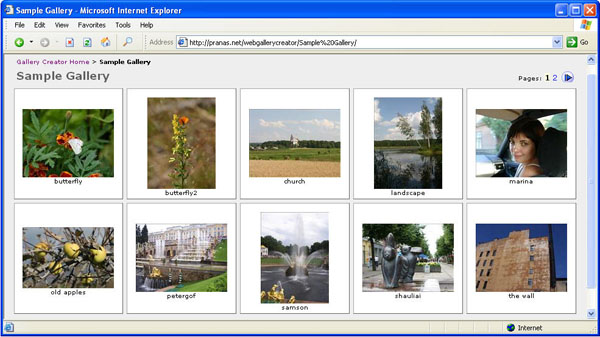
"Master Page" link provides a functionality of integrating the gallery into the design of an existing Web site. All you need to do is just to place <%WG%> into the body of any HTML page and the gallery pages will be created based on that page where gallery-specific code is inserted instead of <%WG%>. See integration sample here.
Points of Interest
The project was intended to address a specific set of requirements in the shortest time possible. In addition, I am a Web developer who writes desktop applications only when it cannot be avoided. As such, the code will certainly not win any prizes and will not open any new grounds. The best I can say is that it is simple. As such, I will not be presenting any code in this article; if interested - just look for yourself.
There's a number of features/fixes that could have been easily added to the program like handling of other graphic files besides JPG; handling image subfolders; using something else instead of Microsoft.VisualBasic.Interaction for Registry works; better structuring of the code; having HTML blocks in resources instead of having them hardcoded and much more. But it does what I need it to do just fine, so if somebody needs to improve on it, you've got the source code.
Latest Updates
September 2007
- Upgraded project to Visual Studio 2005 (it was about time)
- Added control for resized image quality (thanks to Dmitry A. Mottl)
- Lightly changed CSS
This member has not yet provided a Biography. Assume it's interesting and varied, and probably something to do with programming.



 General
  News
News  Suggestion
  Question
  Bug
Bug  Answer
  Joke
Joke  Praise
  Rant
Rant  Admin
Admin 


 Submit an article or tip


 .
. 