Download demo project - 20 KbDownload source files - 2 Kb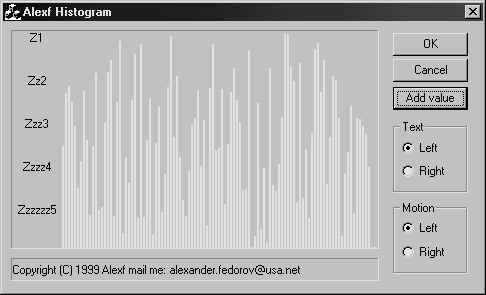
The CAlexfStaticHistogram control is a lightweight class suitable for displaying histograms. You can add new columns, additional text, change text orientation and direction of motion (if you change data at runtime).
Using CAlexfStaticHistogram in a dialog is quite simple:
- Include CAlexfStaticHistogram.h in your dialog class' header file.
- Add member variables of type CAlexfStaticHistogram for every static text control you want to subclass.
- Subclass the static text controls in your dialog's OnInitDialog() method and set the controls' style.
m_sHistogram.SetTextWidth(50);
m_sHistogram.SetTextLines(5);
m_sHistogram.text[0] = "Z1";
m_sHistogram.text[1] = "Zz2";
m_sHistogram.SetMaxValue(99.9)
m_sHistogram.Add(50);
If you want "dynamic" histogram - you can owerride, for example, OnTimer() and simply call:
m_sHistogram.Add();
Please feel free to send me any suggestions about this control.



 General
  News
News  Suggestion
  Question
  Bug
Bug  Answer
  Joke
Joke  Praise
  Rant
Rant  Admin
Admin 


 Submit an article or tip

