Introduction
The ASP.NET Technology is the most modern way to develop websites during the recent years, Using Visual Studio.NET. To start working on this technology You'd need to build a LocalHost (Internet Server) into your Windows OS, And using the LocalHost link in your web browser while compiling your code.
Installing the IIS (Internet Information Services) tool for Windows can offer you that web server , But sadly this tool can not be installed in several versions of Windows (Such as Windows XP Home / Windows Vista Home Basic )
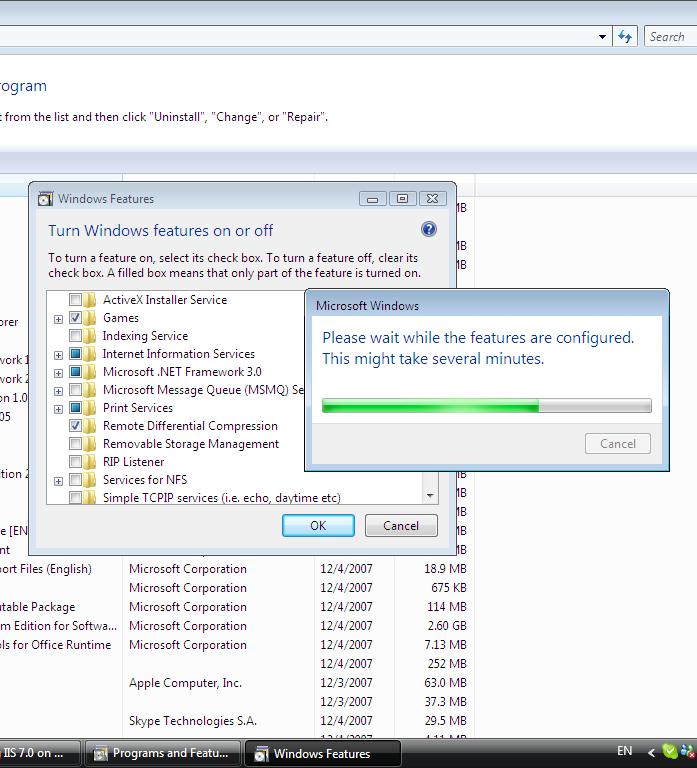
The best provider of IIS recently is Windows Vista Ultimate and Windows Vista Business , Few steps to install it as shown below.
Installing IIS
1 - go to Control Panel.
2 - click on Programs.
3 - click on "Turn Windows features on or off"
4 - check the Internet Information Services and install it easily
This member has not yet provided a Biography. Assume it's interesting and varied, and probably something to do with programming.




 Submit an article or tip
