
Introduction
I have checked out a lot of chat solutions and all of then were database driven. These applications fail as soon as the database is down and in live systems, this scenario is not unknown. So, I decided to build a Chat Solution that should be database independent. So, XML is the best replacement.
This is my first article and A. R. Live Support is the first solution I have developed using XML.
Background
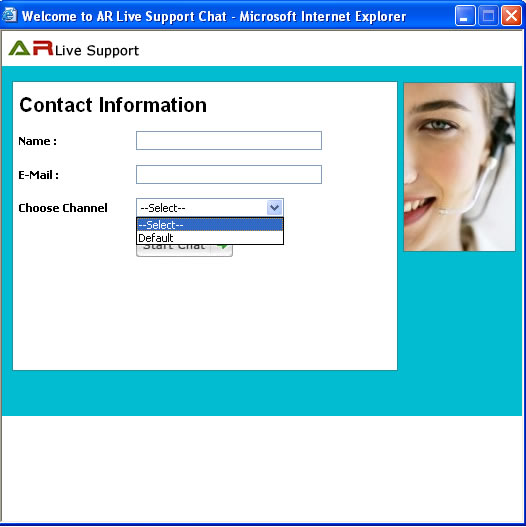
A. R. Live Support is an online chat software, developed in ASP.NET(2.0) and XML. It is easy to use and facilitates 1-o-1 live communication between customers and executives. It is a flexible live chat software that provides the customer support with a click.
The main features are:
- Built with HTML, JavaScript, XML, C#, using Ajax techniques
- NO DATABASE: No need for a database (since it is XML based)
- No Flashing: Based on advanced Ajax techniques, the chat screen refreshes every second(this can be customized), and changes on the screen do not require a screen refresh
- NO ACTIVEX or PLUGINS, etc. - because it is not Java based, the user does not need to install plugins, or have Java components on the machine. A combination of JavaScript, XML and C# ASP.NET makes this possible.
- NO MEMORY STORAGE for messages, users; everything gets stored in XML files. This feature allows several chat rooms and even chat applications to run on the same server.
- EASY TO INSTALL - Just unzip a *.zip file on the server, create a virtual directory, and the chat is ready.
- ANY MAJOR BROWSER OK - Internet Explorer, Netscape, Mozilla Firefox, Opera
Code Walkthrough
I will start from a code that will be used to call the Server repeatedly for fetching the most recent information:
function InitializeTimer()
{
secs = 2;
StopTheClock();
StartTheTimer();
}
function StopTheClock()
{
if(timerRunning)
clearTimeout(timerID);
timerRunning = false
}
function StartTheTimer()
{
if (secs==0)
{
StopTheClock();
ajax_MakeAnAJAXGetCall();
InitializeTimer();
}
else
{
secs = secs - 1;
timerRunning = true;
timerID = self.setTimeout("StartTheTimer()", delay);
}
}
function makeRequest()
{
var xmlHttpRequest = null;
if (window.XMLHttpRequest)
{
xmlHttpRequest = new XMLHttpRequest();
}
else if (typeof ActiveXObject != "undefined")
{
xmlHttpRequest = new ActiveXObject("Microsoft.XMLHTTP");
}
return xmlHttpRequest;
}
function ajax_MakeAnAJAXGetCall()
{
ajaxObj = makeRequest();
if (ajaxObj != null)
{
var dt = new Date();
var URL = serverURL;
URL += '?id=' + document.getElementById('lblID').innerHTML +
'&dt1=' + dt.getHours()+ '&dt2=' + dt.getMinutes();
StopTheClock();
ajaxObj.open("GET", URL, true);
ajaxObj.onreadystatechange = ajax_CallBack;
ajaxObj.send(null);
}
else
{
}
return false;
}
function OpenPop(strId)
{
window.open('execChatWindow.aspx?id=' + strId,'','width=520,height=490');
}
function ContactServer()
{
ajax_MakeAnAJAXGetCall();
}
Server side code to fetch the messages for User/Executive:
string strResult = string.Empty;
try
{
  string chatId = Request.QueryString["cid"].ToString();
  string strXML = chatId + ".XML";
  strResult = clsChatMessages.getUnReadMessages(Request.PhysicalApplicationPath,
		strXML,Request.QueryString["id"].ToString(), true);
}
finally
{

}
Points of Interest
- Chat is fully customizable, i.e. there are a lot of interesting settings in web.config.
- Initially it does not provide any reporting, but that can be generated using XML files.
History
- 09-Nov-2008
- 18-Nov-2008
- Selection of Departments for the Chat
- [Bug Fix] in chat allocation
- 16-Dec-2008
- Chat Transfer between Executives
- Password Encryption [RSA]
This member has not yet provided a Biography. Assume it's interesting and varied, and probably something to do with programming.



 General
  News
News  Suggestion
  Question
  Bug
Bug  Answer
  Joke
Joke  Praise
  Rant
Rant  Admin
Admin 


 Submit an article or tip


