Introduction
This article will show you how to send a compressed HTTP response.
This will work on any file or response that you're sending but we'll try to avoid compressing very small files or files that are already compressed (like .jpeg)
Background
At my work, I have to send big XML and CSV files to the user. These files can be compressed to much smaller sizes.
One solution is to save the XML as a file in a temporary location on the server, zip it, and then send it to the user.
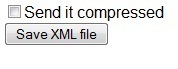
In this article, I'll show a much better solution for the problem. We'll send the XML as a compressed stream directly to the browser.
Using the Code
This code line will make sure that the browser will open the save file dialog when sending the file:
Response.AppendHeader("Content-Disposition", "attachment; filename=MyFile.xml");
Note that if you don't want the user to download a file, just send the response compress to avoid using this line of code.
The main part of the is code in the SetResponseCompression() method.
First we have to check that the browser supports compression. We'll check the 'Accept-Encoding' header in the request.
A typical header looks like "gzip,deflate".
string acceptEncoding = Request.Headers["Accept-Encoding"].ToLower();
    if (acceptEncoding.Contains("gzip"))
	{ ....
The next lines set the content encoding to 'gzip' and sets a GZipStream as the Response Filter.
This way the response will be sent as GZip stream and the header will say to the browser that this is a GZip and the browser will know how to open it.
Response.AppendHeader("Content-Encoding", "gzip");
Response.Filter = new GZipStream(Response.Filter, CompressionMode.Compress);
You can use SetResponseCompression() in any page. This will make the response sent compressed.
History
- 31st October, 2009: Initial version
This member has not yet provided a Biography. Assume it's interesting and varied, and probably something to do with programming.




 Submit an article or tip
