
Introduction
Whenever there is a 'Page Load', it's a good practice to show some indicator to the user about the progress. This gives a good feeling to the user interacting with the website. Traditionally, this is achieved writing JavaScript while the 'Page Loads' - but one need to write quite a few JavaScript lines again and again. Further, beginners who are not much aware of JavaScript might face a little difficulty in achieving it. Also, at times, possibility of syntactical error(s) is always there while writing the traditional code. So, a custom control with all the necessary features packed into one would always save us some time!
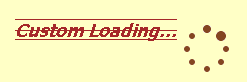
This is a fully customizable control that one needs to just drag and drop from the toolbox in order to use. It contains design time support, toolbox support and property browser support. One can also extend or limit the functionality based on the specific need.
Background
While working on the last couple of projects, during the page loads we were asked to show a certain indicator or an informative message on the screen such that user experience is good. In order to achieve it, we used to follow the traditional method of putting JavaScript while page loads. Then, I thought of making a custom control that does the same thing for me, such that I don't need to replicate my scripts and write related code again and again for every page. Further, having customization and design time support would be a plus!
Using the Code
From a usage point of view, one just needs to drag and drop the control from the toolbox. User specific properties can be set either during design time or runtime. As such, by default, no code change or implementation is needed. A design time markup was added to the control for its design time appearance to make it visible and clear in the Webforms designer.
// Just drag and drop
<CustomControl:Loading ID="Loading1" runat="server" />
This is how the control is packaged. It's played upon with two events of the control:
this.Init += new EventHandler(Loading_Init);
this.Load += new EventHandler(Loading_Load);
Once the page life cycle starts, 'Loading' control is formed in its Init event and shown to the user:
private string _UtilityScripts = "<SCRIPT LANGUAGE='JavaScript'>
if(document.getElementById){var isLoaded = true;}
function ShowObject(obj){if (isLoaded){obj.style.display = 'block';}}
function HideObject(obj){if (isLoaded){obj.style.display = 'none';}}
</SCRIPT>";
private void Loading_Init(object sender, EventArgs e)
{
WebControl tempWC = sender as WebControl;
tempWC.Page.Response.Write(_UtilityScripts + loadingDiv);
tempWC.Page.Response.Flush();
}
Font decorations and various other properties available are set for the control in the code behind before displaying it. When the page load finishes, the control is made hidden injecting the JavaScript during the execution of control's Load event.
private string _HideDiv = "<SCRIPT LANGUAGE='JavaScript'>
var divLoadObject = document.getElementById(\"{0}\");
HideObject(divLoadObject);</script>";
private void Loading_Load(object sender, EventArgs e)
{
WebControl tempWC = sender as WebControl;
tempWC.Page.Response.Write(string.Format(_HideDiv, "loadingScreen"));
}
Additional changes were made in the control to make it AJAX enabled. Thus, AJAX based websites too can use it without any hassle:
ScriptManager currPageScriptManager =
ScriptManager.GetCurrent(Page) as ScriptManager;
if (currPageScriptManager != null)
_IsAsyncPostBack = currPageScriptManager.IsInAsyncPostBack;
Customization was supported with various styles and alignments possible. Based on the property set by user (or default), control is loaded and displayed on the webpage. That was all that was needed to make it work. Now, come the various supports that made the control more user friendly and easy to use. To support these features, a designer class was added that overrides few methods and properties.
1. Designer Support: Visible interface in the design view of the webforms editor.
2. Property Browser Support in design view: Type associated with the property.
3. Toolbox Support: For dragging and dropping the control from the Visual Studio .NET toolbox.
Properties supported by the control:
LoadingText - Gets or Sets text to be displayed while control is displayed LoadingImagePath - Gets or Sets image path of the image to be displayed in the control HorizontalAlignment - Gets or Sets horizontal alignment of the control in the webpage VerticalAlignment - Gets or Sets vertical alignment of the control in the webpage TextVAlignment - Gets or Sets vertical alignment of the text in the control TextLocation - Gets or Sets location of the text relative to image in the control
This concludes the making of the 'Loading' custom control. One can customize what text to show, what image to use, apply font style to the text and display the control on a webpage based on various horizontal/vertical alignments.
Initially I made it in VS2008, but thinking about users who would like to use it in VS2005 Web projects, I ported it in VS2005. One can upgrade the same into VS2008 successfully without any error.
Points of Interest
This was a different experience developing - I specifically learnt about the design time support, and exposing selected control property in the property browser window.
History
- 7th January, 2010: Initial version



 General
  News
News  Suggestion
  Question
  Bug
Bug  Answer
  Joke
Joke  Praise
  Rant
Rant  Admin
Admin 


 Submit an article or tip


