Introduction
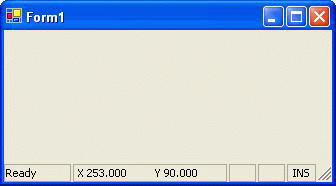
I have always loved the Visual Studio .NET style interface, and when I tried to "copy" it to my own project, the owner drawn StatusBarPanel always flickered when I try some fast update like displaying mouse positions when mouse is moving. This project demonstrates how to do a flicker free drawing of the status bar in C#, it looks like the same as the Visual Studio .NET one, except mine cannot display animated icon yet (Visual Studio .NET can show an animated icon when you save files).
How to make it flicker free
Owner drawn status bar, we need to overwrite the OnDrawItem or add an event handler for DrawItem.And the Style of the StatusBarPanel must set to StatusBarPanelStyle.OwnerDraw.
MessagePanel.BorderStyle = StatusBarPanelBorderStyle.None;
MessagePanel.Style = StatusBarPanelStyle.OwnerDraw;
this.DrawItem +=new StatusBarDrawItemEventHandler(
DotNetStatusBar_DrawItem);
...
protected void DotNetStatusBar_DrawItem(
object sender, StatusBarDrawItemEventArgs sbdevent)
{
}
This function can do the owner drawing but still cannot avoid flickering. This is because each time the status bar needs to be redrawn, its background got redrawn first. Even if we overwrite the OnPaintBackground function, or we set the style to ControlStyles.Opaque, the background still keeps getting redrawn.
My way of avoiding flicker is to use a double buffer, i.e. set the style to ControlStyles.DoubleBuffer.
this.SetStyle( ControlStyles.AllPaintingInWmPaint
    | ControlStyles.UserPaint
    | ControlStyles.DoubleBuffer, true);
To fully enable double-buffering, you must also set the UserPaint and AllPaintingInWmPaint style bits to true. And just because of this UserPaint style, we must overwrite the OnPaint function. In this function, you need to do all the status bar and panels drawings by yourself.
protected override void OnPaint(PaintEventArgs e)
{
  int iStart = 0;
  StatusBarDrawItemEventArgs ea =
    new StatusBarDrawItemEventArgs(e.Graphics,Font,
    new Rectangle(iStart,2,MessagePanel.Width-2,Height-1),
    1,DrawItemState.Default,MessagePanel);
  OnDrawItem(ea);
  ...
}
Things to do
I did this code only for my own project, so it is not very general. Things can be done like make it a custom control compatible with Visual Studio .NET. Also more exploration can be done on how to display animated icons, progress bars...
Zhang Songling is a programmer, he graduated from National University of Singapore at 2003. Now he is working in a high tech semicon software company in Singapore.



 General
  News
News  Suggestion
  Question
  Bug
Bug  Answer
  Joke
Joke  Praise
  Rant
Rant  Admin
Admin 


 Submit an article or tip


