Introduction
Hi, I am new to Pocket PC development, and I wished to have a logbook for my flights in Flight Simulator. This logbook was developed in C# using .NET Compact Framework and SQL Server CE 2.0.
Resources
The only resource that I have found is for using SQL Server CE. I found a walkthrought in MSDN.
Sorry for my poor english...
How I do that ?
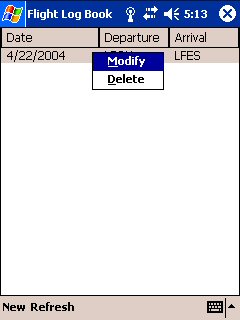
It simple. I have three forms: one for main application entry point that creates the database if it doesn't exists, and show its content :
private void Form1_Load(object sender, System.EventArgs e)
{
try
{
if (!File.Exists ("Flight.sdf"))
{
SqlCeEngine engine = new SqlCeEngine ("Data Source = Flight.sdf");
engine.CreateDatabase ();
conn = new SqlCeConnection ("Data Source = Flight.sdf");
conn.Open();
cmd = conn.CreateCommand();
cmd.CommandText = "CREATE TABLE " +
"Flights(ID int PRIMARY KEY IDENTITY(1,1), Departure ntext," +
"Arrival ntext, Date datetime, Weather ntext, Summary ntext)";
cmd.ExecuteNonQuery();
conn.Close();
}
else
{
conn = new SqlCeConnection ("Data Source = Flight.sdf");
cmd = conn.CreateCommand();
UpdateLView();
}
}
catch (SqlCeException ex)
{
}
}
public void UpdateLView()
{
lVFlights.Items.Clear();
conn.Open();
cmd.CommandText = "SELECT * FROM Flights ORDER BY Date DESC;";
SqlCeDataReader rdr = cmd.ExecuteReader();
ListViewItem lvi = null;
while(rdr.Read())
{
lvi = new ListViewItem(rdr.GetInt32(0).ToString());
lvi.SubItems.Add(rdr.GetDateTime(3).ToShortDateString());
lvi.SubItems.Add(rdr.GetString(1));
lvi.SubItems.Add(rdr.GetString(2));
lvi.SubItems.Add(rdr.GetString(4));
lvi.SubItems.Add(rdr.GetString(5));
lVFlights.Items.Add(lvi);
}
lVFlights.Refresh();
conn.Close();
}
Two others forms that permit to add a new entry, and the other to modify it.
Test It !
The only thing you must do for testing my app, is to compile with Visual Studio .NET 2003.
Remember that you must have PocketPC 2003 SDK installed on your machine.
This member has not yet provided a Biography. Assume it's interesting and varied, and probably something to do with programming.




 Submit an article or tip
