Download source files - 4 KbDownload demo project - 32 Kb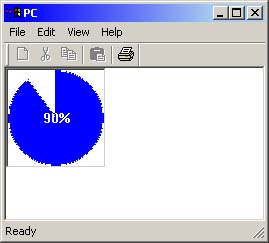
Introduction
This article shows the use of a pie progress control. The code is
encapsulated in a MFC class. The class itself is derived from a CStatic class.
The code demonstrates the how perform flicker free drawing. The control works in
a similar way to the standard Windows progress control.
The main core of the code is in the drawing routine (OnPaint).
The public interface to access the class is shown here...
void SetTextColor(COLORREF crColor);
void SetBkColor(COLORREF crColor);
void SetPieOutlineColor(COLORREF crColor);
void ShowText(BOOL bText);
void SetStep(int nStep);
void GetRange(int& nLower, int& nUpper);
void SetRange(int nLower, int nUpper);
void PieOutlineColorEnable(BOOL bState);
int StepIt();
int OffsetPos(int nOffset);
int GetPos();
int SetPos(int nPos);
The class is created with the window default Create() member. The control can
be any shape or size. The example code also shows how to add a client edge to
the window.
The next version will allow:
- Text orientation and sizing.
- Gradient coloring.
- Optional background bitmap.
- Jaggies removed.



 General
  News
News  Suggestion
  Question
  Bug
Bug  Answer
  Joke
Joke  Praise
  Rant
Rant  Admin
Admin 


 Submit an article or tip


 , you control looks good, make it more flexible by adding the ability for the user of the control to pre-format the text with before displaying, add a Increment Property Step method. Maybe a start position (in degrees), self contained timer, and event notify event when progress completes. I could add more, but that should keep you busy. Try and model your code on Rotor, the code need to comply with .net standards.

