Click here to Skip to main content

System Tray Icons - Minimize Your Application to the SysTray

By , 6 Nov 2000
 

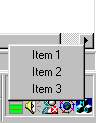
Sample Image - TrayIcons.jpg

Introduction

This article illustrates the use of Shell_NotifyIcon to create and manage System Tray icons. The article explains the basics of this operation and assists you in creating your own 'Minimize To Tray' applications. The source code provided with this article is designed to work with dialog-based applications, but it can easily be modified to work with a CFrameWnd or CWnd based application.

Creating and Using Tray Icons

To create a Tray Icon, you need to call the following shell function: -

BOOL Shell_NotifyIcon( DWORD dwMessage, PNOTIFYICONDATA pnid );

The dwMessage parameter specifies the action to be taken - NIM_ADD, NIM_DELETE, NIM_MODIFY adds, deletes and modifies tray icons respectively.

The pnid parameter is used to customize, create, delete and obtain data from the Tray Icon. (See the MSDN Library for more details about this structure.)

Creating The Application

1. Create a new VC++ dialog based project. For this example, I will call this project MyTray which will contain the CMyTrayApp and CMyTrayDlg classes.

2. Download and extract the DialogTray source code to the root of the project folder

3. From the Project->Add To Project menu, select Files and then select TrayDialog.h and TrayDialog.cpp. This will add a new class to your project named CTrayDialog.

4. Replace the CMyTrayDlg base class with CTrayDialog.

class CMyTrayDlg : public CDialog

becomes

#include "TrayDialog.h"

class CMyTrayDlg : public CTrayDialog

5. Replace the other occurrences of CDialog in the MyTrayDlg.cpp file as follows :-

CMyTrayDlg::CMyTrayDlg(CWnd* pParent /*=NULL*/)
  : CDialog(CMyTrayDlg::IDD, pParent)

becomes

CMyTrayDlg::CMyTrayDlg(CWnd* pParent /*=NULL*/)	
    : CTrayDialog(CMyTrayDlg::IDD, pParent)

6. Create a menu resource and name it IDR_MENU1

7. In the InitDialog member function, enter the following:

    TraySetIcon(IDR_MAINFRAME);
    TraySetToolTip("ToolTip for tray icon");
    TraySetMenu(IDR_MENU1);

8. Modify the IDD_MYTRAY _DIALOG resource to have a minimize box.

9. Build and run the application

NB : To add tray menu item handlers use the class wizard.

Displaying the tray icon all the time

Simply add a TrayShow() statement to InitDialog() in CMyTrayDlg.cpp, and call TraySetMinimizeToTray(FALSE) to disable minimizing to the tray.

The events that occur in the tray are captured through the following functions:

    virtual void OnTrayLButtonDown(CPoint pt);
    virtual void OnTrayLButtonDblClk(CPoint pt);

	virtual void OnTrayRButtonDown(CPoint pt);
	virtual void OnTrayRButtonDblClk(CPoint pt);
  
	virtual void OnTrayMouseMove(CPoint pt);

Feel free to add more events or to improve on these ones.

License

This article, along with any associated source code and files, is licensed under The Code Project Open License (CPOL)

About the Author

Daniel Zilcsak
Software Developer
United States United States
Member
No Biography provided

Sign Up to vote   Poor Excellent
Add a reason or comment to your vote: x
Votes of 3 or less require a comment

Comments and Discussions

 
You must Sign In to use this message board.
Search this forum  
    Spacing  Noise  Layout  Per page   
GeneralRe: Menu will not disappermemberfherlan2 Dec '06 - 5:42 
Superb!
GeneralThanks Daniel !memberganesh_nv@yahoo.com18 Apr '05 - 19:53 
Thanks Daniel for this Nice Article. You got my full Rating for this article.. Smile | :)
GeneralSome bugsmemberrrrado7 Mar '05 - 0:43 
It seems that when I've started to use this class, 2 bugs occured in my application:
1. the menu is shown by gray color when app starts (it does not look like disabled menu, text does not have disabled shadow effect), but when I move the window or force it to redraw the menu by other way it's drawn properly
(the bug fix posted below didn't help).
 
2. main dialog contains tab control which contains child dialog with edit control. When the cursor is placed in the text, I switch to another application and then back to my application, but edit box lose the focus and cursor position is not remebered.
How to solve this ?
 
thanks
 

rrrado
GeneralRe: Some bugsmemberrrrado7 Mar '05 - 2:26 
Sorry, I'm using this with custom caption button
 
http://www.codeproject.com/buttonctrl/CustomBitmapButtonDemo.asp[^]
 
the bug must be there
 

rrrado
GeneralGreat job -- small improvementmemberHard Hat23 Feb '05 - 1:21 
Hi,
 
Great job. Your efforts saved me time having to crank this up myself and so I thank you. Here's a small favour in return. I notice in TrayDialog.h the line:
 
#define WM_TRAY_ICON_NOTIFY_MESSAGE (WM_USER + 1)
 
WM_USER is considered obsolete and should not be used. One good reason not to use WM_USER is that MFC itself uses values defined in this range for several of its controls! The preferred method (short of registered messages) is to use the WM_APP as base for user defined messages, e.g.
 
#define WM_TRAY_ICON_NOTIFY_MESSAGE (WM_APP + 1)
 
There are lots of references to this on the web if you want to do some further reading (e.g., http://www.flounder.com/messages.htm)
 
Thanks once again,
HardHat Big Grin | :-D
 
PS: Am I the only one who loves reading the article and then seeing all the cool improvements and suggestions of others?

GeneralTerminating from TaskManagermemberAlan Buchanan23 Feb '05 - 0:02 
I have adapted your CTrayDialog in a program I have written that reads and logs a bunch of serial data. I have noticed a couple of bugs that I am hoping that you may be able help me with.
 
1. When the application is terminated from 'Task Manager' the programs stops but the icon will remain in the tray until the mouse moves over it. Only really an irritation.
 
2. Occasionally if Explorer crashes the icon will disappear from the tray but the program will keep running. This is a problem with open serial ports.
 
When closing using the Task Manager the Class's destructors don't appear to be called and therefore the Shell_NotifyIcon(NIM_DELETE.... doesn't get called.
 
I have tried catching OnQueryEndSession without luck and are coming to the conclusion that this might be a Windows 'feature'.
 
Do you have any suggestions ?


Regards
Alan Buchanan
GeneralRe: Terminating from TaskManagersussAnonymous23 Feb '05 - 14:36 
1. When the application is terminated from 'Task Manager' the programs stops but the icon will remain in the tray until the mouse moves over it. Only really an irritation.
 
-----THis also occurs when the program is terminated from the debugger
GeneralRe: Terminating from TaskManagersussAnonymous18 Apr '05 - 20:45 
I too have save problem. Can anybody answer for this question?
GeneralRe: Terminating from TaskManagermemberTaLF25 Jun '05 - 13:17 
About windows explorer crashs, you should use "TaskbarCreated" (see below, someone had wrote an example)
 
And about the task manager, if the user is killing your app with "End task" if will call WM_CLOSE and WM_DESTROY, but if the user choose "End Process" it will Kill the process of your apps without sending anything to it.
GeneralRe: Solution - Terminating from TaskManagermemberIVarshilov24 May '09 - 22:53 
You have to add following code to CTrayDialog class
 
1. The LRESULT OnTaskBarCreated(WPARAM wp, LPARAM lp) is added to TrayDialog.h.
 
2. The const UINT WM_TASKBARCREATED = ::RegisterWindowMessage(_T("TaskbarCreated")); is added to TrayDialog.cpp
 
3. The ON_REGISTERED_MESSAGE(WM_TASKBARCREATED, OnTaskBarCreated) is added to MESSAGE MAP in TrayDialog.cpp.
 
4. The
 
LRESULT CTrayDialog::OnTaskBarCreated(WPARAM wp, LPARAM lp)
{
m_bTrayIconVisible = FALSE;
 
TraySetMinimizeToTray(FALSE);
TrayShow();
 
return 0;
}
 
is added to TrayDialog.cpp

General General    News News    Suggestion Suggestion    Question Question    Bug Bug    Answer Answer    Joke Joke    Rant Rant    Admin Admin   

Permalink | Advertise | Privacy | Mobile
Web02 | 2.6.130523.1 | Last Updated 7 Nov 2000
Article Copyright 2000 by Daniel Zilcsak
Everything else Copyright © CodeProject, 1999-2013
Terms of Use
Layout: fixed | fluid
