Click here to Skip to main content

Creating draggable windows - SDI and dialogs

By , 12 Jul 2002
 

Introduction

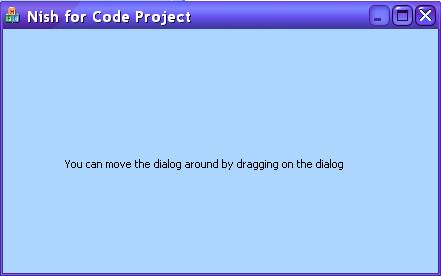
The standard practice for moving a window is to drag it's title bar. This is handled for us by the operating system itself. But there are some applications that allow us to move the entire window by dragging anywhere within it's body. Sometimes it is pretty annoying when that happens, but there might be occasions where this is required. For dialog based applications there is a despicable trick which we can use to achieve this. The secret is to handle WM_NCHITTEST and to trick the OS into thinking that the mouse click or movement was made in the title bar. I explain the technique in more detail later down the article. But in SDI applications, there is a slight issue. Because all the mouse clicks and moves are handled by the view class! And if you attempt to use the same technique you used in the case of the dialog based application, the results will be wretchedly peculiar. Of course this just means we'll have to write that much more code. I show how this is done later down the article. I haven't tried out this technique on MDI applications, but my guess is that with a little bit of adjusting it should work fine on MDI applications as well.

Of course there is always more than one way to skin a cat, and it's not much different when it comes to programming. The same goes for this article too. Roman Nurik, has explained a much easier way to accomplish the same as I have. I have included this much easier method in terms of number of lines and effort at the end of the article. I could have put them on the top of the article too, but I wanted the flow of the article to be from good to better. In fact after Roman's method, I have also provided a solution offered by Albert Ling, which in my opinion is  the most innovative of all the methods discussed here.

Draggable dialogs

The WM_NCHITTEST message will sent to the dialog when the mouse is moved through it or a mouse click is made on it. Of course since we are using MFC, we have the OnNcHitTest function which handles  the WM_NCHITTEST message. The function returns one of several enumerated values, each of which indicates where the mouse action took place. Now one of these enumerated values is HTCAPTION which indicates that the mouse action took place on the title bar. So what we do is to verify if the mouse is currently within the client area of the window, and if it is within the client area of the window, we check if the mouse is down through a flag that is set and unset from the OnLButtonDown and OnLButtonUp handlers. If all our checks are passed, we return HTCAPTION, thus fooling the OS into thinking that the action is taking place on the title bar. It is very important to verify that the mouse action is within the dialog's client area, otherwise any buttons we have on the title bar, like the close and maximize buttons will be rendered useless.

UINT CDragDialogDlg::OnNcHitTest(CPoint point)
{
    CRect r;
    GetClientRect(&r);
    ClientToScreen(&r);

    //Chk to see if the mouse is within 
    //the dialog client area
    if(r.PtInRect(point))
    {       
        if(m_mousedown)
        {       
            return HTCAPTION;
        }
    }

    return CDialog::OnNcHitTest(point);

}

m_mousedown is a bool member variable which is set and unset from the OnLButtonDown and OnLButtonUp handlers. We also set m_mousedown  to true in the OnInitDialog handler because otherwise the first drag attempt will fail, as m_mousedown will still be false when the OnNcHitTest handler is called.

void CDragDialogDlg::OnLButtonDown(UINT nFlags, 
                                   CPoint point)
{   
    m_mousedown = true;     

    CDialog::OnLButtonDown(nFlags, point);
}

void CDragDialogDlg::OnLButtonUp(UINT nFlags, 
                                 CPoint point)
{
    m_mousedown = false;

    CDialog::OnLButtonUp(nFlags, point);
}

Draggable SDI windows

As I have mentioned earlier we cannot use the technique we used for dialog based applications here. The whole issue here is that the CView derived class is a wrapper for the view window and not for the main window of the application. The main window of an SDI application is wrapped by the CMainFrame class which is derived from CFrameWnd by the App wizard. All mouse clicks and movements within the view are handled by the view class and not by the frame window class. Well, this time we use another solution to settle our issue. We do the most obvious thing to do in the situation, which is that we move the window using code.

void CDragSDIView::OnLButtonDown(UINT nFlags, 
                                 CPoint point)
{
    m_mousedown = true; 
    ClientToScreen(&point);
    m_lastpoint = point;

    CView::OnLButtonDown(nFlags, point);
}

Just as in the previous case, we override OnLButtonDown. We set the m_mousedown flag to true. This time as you'll notice we also have a CPoint member variable called m_lastpoint in our CView derived class. We set m_lastpoint to the CPoint passed to us in OnLButtonDown.

void CDragSDIView::OnLButtonUp(UINT nFlags, 
                               CPoint point)
{   
    m_mousedown = false;

    CView::OnLButtonUp(nFlags, point);
}

OnLButtonUp is also overridden. But here we haven't done anything different from what we did in the case of the dialog based application. All our window moving work is done in the OnMouseMove function which we override as shown below.

void CDragSDIView::OnMouseMove(UINT nFlags, 
                               CPoint point)
{   
    CRect r;
    GetClientRect(&r);
    ClientToScreen(&r);
    ClientToScreen(&point);

    if(r.PtInRect(point))
    {       
        if(m_mousedown)
        {   
            AfxGetMainWnd()->GetWindowRect(&r); 

            AfxGetMainWnd()->MoveWindow(
                r.left - (m_lastpoint.x - point.x),
                r.top - (m_lastpoint.y - point.y),
                r.Width(),r.Height());
            m_lastpoint = point;                
        }
    }

    CView::OnMouseMove(nFlags, point);
}

Well, we first check to see if the point is within the client area of the view window.  If it is, then we check the m_mousedownflag is true. If m_mousedownflag is true, we figure out the current window coordinates by calling GetWindowRect on the main frame window. Now we call MoveWindow on the main frame window and pass it the new values which we calculate using the CPoint passed to us by OnMouseMove, the m_lastpoint member variable and the CRect obtained by calling GetWindowRect on the main frame window. And finally we set m_lastpoint to the new CPoint.

A much easier way - Roman Nurik

As I have mentioned in the introduction, there are multiple ways to skin cats, though why anyone would ever want to skin cats beat me. Cat skins are not exactly useful in my opinion. Alright, let's get to Roman's method for making draggable windows. First override WM_LBUTTONDOWN  and then send a WM_NCLBUTTONDOWN message to the main window of your application. For dialog apps, this will be the dialog window itself and for SDI apps, this will be your CMainFrame window. The WM_NCLBUTTONDOWN message is sent to a window when a left mouse click is made on the non client area of the window. The wParam specifies the hit-test enumeration value. We pass HTCAPTION and the lParam specifies the cursor position, which we pass as a 0 so that it's sure to be in the title bar. Thus we end up with one of the following implementations.

ReleaseCapture(); //This is not compulsory
POINT pt; 
GetCursorPos(&pt);
POINTS pts = {pt.x, pt.y}; 
::SendMessage(m_hWnd,WM_NCLBUTTONDOWN,HTCAPTION,(LPARAM)&pts);
ReleaseCapture(); //This is not compulsory
::SendMessage(m_hWnd,WM_NCLBUTTONDOWN,HTCAPTION,0);

m_hWnd is the window handle of the main application window. With MFC, you usually have a CWnd* and not an HWND. In such cases you can do an MFC CWnd version of the  SendMessage call.

pWnd->SendMesage(WM_NCLBUTTONDOWN,HTCAPTION,0);

Well, that was sure easier than the previously discussed techniques, wasn't it and thanks goes to Roman Nurik for this really cool tip. But then I guess each method would have it's pros and cons which may make themselves visible at random.

Another way - Albert Ling

Well, we come to that matter of cats and skins again. Here is yet another solution suggested by Albert Ling, that seems to me to be the best of all the methods we have investigated. He overrides OnNcHitTest and then calls the base class implementation. He checks the value returned by the base class implementation and if it is HTCLIENT, he returns HTCAPTION. This one is for dialog based applications.

UINT CYourDlg::OnNcHitTest(CPoint point)
{
    UINT hit = CDialog::OnNcHitTest(point);
    if ( hit == HTCLIENT ) 
    {
        return HTCAPTION;
    }
    else
        return hit;
}

If you thought Albert Ling's solution for dialog based apps was cool, you are yet to see his solution for SDI apps. It was simply amazing! This is what he did. He overrides OnNcHitTest in the CView derived class and calls the base class implementation first. If the base class call returns HTCLIENT, he returns HTTRANSPARENT. Now, HTTRANSPARENT indicates that the mouse action was on a window that's covered by another window, and thus the message gets sent to the underlying window in the thread, which in our case would be the main frame window. Thus we override OnNcHitTest in CMainFrame and call the base class method. If the base class method returns HTCLIENT, then we return HTCAPTION.

UINT CYourView::OnNcHitTest(CPoint point)
{
    UINT hit = CView::OnNcHitTest(point);
    if (hit == HTCLIENT )
        return HTTRANSPARENT;
    else
    {
        return hit;
    }
}

UINT CMainFrame::OnNcHitTest(CPoint point)
{
    UINT hit = CFrameWnd::OnNcHitTest(point);
    if ( hit == HTCLIENT ) 
    {
        return HTCAPTION;
    }
    else
        return hit;

}

Conclusion

Well, when I wrote this article I was under the thoroughly mistaken impression that my method was the only way to go about doing it. That's when Roman came and proved me wrong by offering his solution which was quite simpler to implement. Just when I was trying to be complacent about all this by talking about the cat-skins in the old adage, out comes Albert Ling with yet another amazing solution. Now I live in constant fear of being bombarded with other solutions and feel like a haunted man. Heheh. No, actually I don't. Was just kidding. If any of you have other solutions, feel free to suggest it here via the forum, or email me directly so that we can make this a single point source for all methods used for creating draggable windows.

License

This article, along with any associated source code and files, is licensed under The Microsoft Public License (Ms-PL)

About the Author

Nish Sivakumar
United States United States
Member
Nish is a real nice guy who has been writing code since 1990 when he first got his hands on an 8088 with 640 KB RAM. Originally from sunny Trivandrum in India, he has been living in various places over the past few years and often thinks it’s time he settled down somewhere.
 
Nish has been a Microsoft Visual C++ MVP since October, 2002 - awfully nice of Microsoft, he thinks. He maintains an MVP tips and tricks web site - www.voidnish.com where you can find a consolidated list of his articles, writings and ideas on VC++, MFC, .NET and C++/CLI. Oh, and you might want to check out his blog on C++/CLI, MFC, .NET and a lot of other stuff - blog.voidnish.com.
 
Nish loves reading Science Fiction, P G Wodehouse and Agatha Christie, and also fancies himself to be a decent writer of sorts. He has authored a romantic comedy Summer Love and Some more Cricket as well as a programming book – Extending MFC applications with the .NET Framework.
 
Nish's latest book C++/CLI in Action published by Manning Publications is now available for purchase. You can read more about the book on his blog.
 
Despite his wife's attempts to get him into cooking, his best effort so far has been a badly done omelette. Some day, he hopes to be a good cook, and to cook a tasty dinner for his wife.

Sign Up to vote   Poor Excellent
Add a reason or comment to your vote: x
Votes of 3 or less require a comment

Comments and Discussions

 
You must Sign In to use this message board.
Search this forum  
    Spacing  Noise  Layout  Per page   
GeneralSmall Fix!membercristitomi28 Mar '07 - 2:34 
Hi Nish!
In order to get the SDI draggable functionality working I had to add the following line in the constructor of my view class:
this->m_mouseDown = false;
Without this, the application starts up minimized and with a very strange behaviour.
Best wishes,
Christian.
 
I am in love with VC++
QuestionDragging a dialog by NC menu bar?memberThisIsANameOK26 Dec '06 - 19:39 
I need to drag a dialog by the menu bar as well as the client area... Obviously I don't want it to drag when a user wants to click on an actual menu item... only when they click on the vacant part of the NC area of the menu to the right of the items.
 
I got it to work on all OS's except WinXP and beyond... On WinXP it only works 95% of the time.
 
Does anyone know of a cheap and easy way to do this? Even if it's not cheap and easy.. as long as it works on WinXP.
 
Thanks for any ideas...
 
-andy.
GeneralmhpfmemberCBFH24 Oct '05 - 15:24 
somehow that doesn't work. dunno what I did wrong.
my dialogs' background is a bitmap, maybe that's the mysterium?
 
tried 2 solutions of you and compared all I did with your project-code.
 
0 errors 0 warnings but the dialog stays unmovable.Sigh | :sigh:
 
-- modified at 21:31 Monday 24th October, 2005
 
some of the code:
 
UINT CWS2500Dlg::OnNcHitTest(CPoint point)
{
CRect r;
GetClientRect(&r);
ClientToScreen(&r);
 
//Chk to see if the mouse is within
//the dialog client area
if(r.PtInRect(point))
{
if(m_mousedown)
{
return HTCAPTION;
}
}
 
return CDialog::OnNcHitTest(point);
}


void CWS2500Dlg::OnLButtonDown(UINT nFlags,
CPoint point)
{
m_mousedown = true;
 
CDialog::OnLButtonDown(nFlags, point);
}
 
void CWS2500Dlg::OnLButtonUp(UINT nFlags,
CPoint point)
{
m_mousedown = false;
 
CDialog::OnLButtonUp(nFlags, point);
}


----------------------------------------------------------------------------
 
public:
bool m_mousedown;
afx_msg UINT OnNcHitTest(CPoint point);
afx_msg void OnLButtonDown(UINT nFlags, CPoint point);
afx_msg void OnLButtonUp(UINT nFlags, CPoint point);
 
----------------------------------------------------------------------------
 
thx for help, seems to me, I'm the only dumbhead.

GeneralRe: mhpfmemberGalatei9 Nov '06 - 3:57 
Hi,
 
The authors of these methods probably assumed that all you want to do is to have a drag and move functionality, which prevents you from having full mouse input in many ways.
 
Analysing your implementation, reveals that when first OnNcHitTest is processed, m_mousedown variable is false, so default handler is used (return CDialog::OnNcHitTest(point)), and this first mouse down hit is processed as client-area message, thus any following OnNcHitTest messages are treated as simple mouse-move in client-area part of window. It is like when you press the button in the caption area of any normal window, and in message handler, first call containing the information about left button being pressed is discarded.
 
When OnNcHitTest is processed, and HTCAPTION is returned, entire client area of a window is treated as non-client area. That simple fact means that you can't receive client area notificaions anymore, eg. WM_LBUTTONUP (OnLButtonUp). You have to process non-client notification messages, like those with "NC" (OnNcLButtonUp).
 
So, in all cases, instead of handling normal client-area notification messages like WM_LBUTTONDOWN, you should handle non-client notifications like WM_NCLBUTTONDOWN, and in order to make it fully functional, remove "m_mousedown" condition from OnNcHitTest function.
 
Also in all cases where default member is called with point as an argument, use additional buffer for CPoint argument, which prevent windows from processing invalid messages (those converted by ScreenToClient and ClientToScreen).
 
My implementation for dialog looks like this:
 
LRESULT CTestDlg::OnNcHitTest(CPoint point)
{
  CRect rc;
  GetClientRect(&rc);
  CPoint pt(point);
  ScreenToClient(&pt);
  if (rc.PtInRect(pt))
    return HTCAPTION;
  // return original (unmodified) point structure
  return CDialog::OnNcHitTest(point);
}
 
// left mouse button is down
void CTestDlg::OnNcLButtonDown(UINT nHitTest, CPoint point)
{
  // Do what you want...
  CDialog::OnNcLButtonDown(nHitTest, point);
}
 
// left mouse button is up
void CTestDlg::OnNcLButtonUp(UINT nHitTest, CPoint point)
{
  // Do what you want...
  CDialog::OnNcLButtonUp(nHitTest, point);
}
 
// display popup/context menu when right mouse button is up.
void CTestDlg::OnNcRButtonUp(UINT nHitTest, CPoint point)
{
  CMenu *pSub = m_menuMain.GetSubMenu(0);
  ASSERT(pSub != NULL);
  CPoint pt(point);
  pSub->TrackPopupMenu(TPM_LEFTALIGN, pt.x, pt.y, this);
  CDialog::OnNcRButtonUp(nHitTest, point);
}
 

Hope that helps.
 
Regards
GeneralTrap the Shift Keymembervikas vaish3 Aug '05 - 6:02 
Hi!
   I am using the third solution provided by "Albert Ling" because of its simplicity and straight forwardness. I am trying to trap the shift key with that. What I want is when user press shift + press the Left mouse Button down and move the mouse the window will move using the WMNCHitTest function.
 
Is it possible.
 
thanks
vikas...
QuestionHow to call the dialog boxmembermimi12327 Oct '04 - 22:55 
If i create a combo box with the selection "a" and "b" in the dialog box,how and where is the method to store as the temporary object to made the compiler know which selection already selected.Thanks
 
mimi
GeneralMDImembermortal21 Mar '04 - 23:27 
Just to complete this:
 
In an MDI (MFC) application you'l have to subclass the 'MDIClient' window of the CMDIFrameWnd in OnCreate() which is stored in CMDIFrameWnd::m_hWndMDIClient. Than apply Albert Ling's solution to your 'subclass' CWnd class.
 
Besides, in an MDI application you can make the MDI childs draggable as well.

GeneralCEditView in SDI Applicationmemberdin_wwf1 Jan '04 - 17:03 
hi,
i want to design a Parser Program for HTML Tags using SDI application having EditView in it. Problem is how i get the characters enterd by the user for HTML Tags then i manupulate those characters.
 
response me as soon as possible at following mail address.
mcss02a057@yahoo.com
Thanks.
Din.
 
Din
GeneralShortcut in SDI versionmemberStye8 Nov '03 - 5:04 
Thanks to all posters.
Unless you have used SetCapture() the view will return messages only
from the client area anyway. Of course you probably want to check other
conditions such as ::GetAsyncKeyState(VK_LBUTTON)before sending all the messages to the frame.
 
UINT CYourView::OnNcHitTest(CPoint point)
{
return HTTRANSPARENT;
}
 
UINT CMainFrame::OnNcHitTest(CPoint point)
{
UINT hit = CFrameWnd::OnNcHitTest(point);
if ( hit == HTCLIENT )
{
return HTCAPTION;
}
else
return hit;
 
}
GeneralFor CDHtmlDialogsmemberWolfSupernova29 Oct '03 - 6:46 
Hi Nishant,
 
Thought I'd PROVIDE some useful information this time! Poke tongue | ;-P
 
In order to make a CDHTMLDialog draggable, which can be useful when incorporating HTML-derived skins, you simply do the following:
 
In your header file:
HRESULT OnHtmlMouseDown(IHTMLElement *pElement);
 
In your source file:
BEGIN_DHTML_EVENT_MAP(CMyHtmlDialog)
DHTML_EVENT_ONMOUSEDOWN(_T("MyHTMLTagID"),OnHtmlMouseDown)
END_DHTML_EVENT_MAP()
 
HRESULT CMyHtmlDialog::OnHtmlMouseDown(IHTMLElement* /*pElement*/)
{
::SendMessage(m_hWnd,WM_NCLBUTTONDOWN,HTCAPTION,0);
return S_OK;
}

 
That's it!
 
Cheers,
Don
 
"Anything's possible if you don't know what you're talking about."
- Green's Law of Debate
GeneralRe: For CDHtmlDialogsmemberRajulife3 Oct '07 - 2:27 
Hi Don and Nishant,
 
Both of you are simply Great! You helped me a lot by your article.
 
I was struggling with moving a CDHtmlDialog based window without a title bar for about a week. But your article solved my issue with in a minute.
 
Thanks a lotSmile | :)
 
Rajesh.N

GeneralNo WM_LMOUSEUPmemberCeri25 Jul '03 - 0:46 
Problem with these methods is that the WM_LMOUSEUP message on the dialog doesn't get called because windows thinks it's in the caption bar. Is there a way around this
GeneralRe: No WM_LMOUSEUPmemberCeri18 Mar '04 - 22:17 
No i didn't i'm affraid. But If i remember I emulated it from the WM_LMOUSEDOWN which is not perfect but it worked
GeneralEntertaining and InformativememberShog914 Jul '02 - 13:33 
This is how an article should be, with people giving input and improvements, and the author listening and incorporating them.
Kudos, to Nishant S, Albert Ling, and Roman Nurik, for this little gem. Smile | :)
 
--------

PMGRE

--Shog9 --


GeneralRe: Entertaining and InformativesubeditorNishant S14 Jul '02 - 19:23 
Shog9 wrote:
Kudos, to Nishant S
 
Wow! That's the first time someone is using that name Smile | :)
 

Nish
 

Author of the romantic comedy

Summer Love and Some more Cricket [New Win]

Review by Shog9
Click here for review[NW]

GeneralRe: Entertaining and InformativememberShog915 Jul '02 - 4:04 
Nishant S wrote:
That's the first time someone is using that name
 
Assuming you were given it at birth, that's pretty bad... Wink | ;)
 
--------

PMGRE

--Shog9 --


Generalyet another waymemberAlbert Ling14 Jul '02 - 1:03 
This is how I do it:
 
For dialogs
===========
 
In your dialog class, do this in OnNcHitTest():
 
      UINT hit = CDialog::OnNcHitTest(point);
      if ( hit == HTCLIENT ) {
            return HTCAPTION;
      }
      return hit;
 
For SDI
=======
 
In your SDI view class, do this in OnNcHitTest():
 
      UINT hit = CView::OnNcHitTest(point);
      if ( hit == HTCLIENT ) {
            return HTTRANSPARENT;
      }
      return hit
 
In your SDI mainframe class, do this in OnNcHitTest():
 
      UINT hit = CFrameWnd::OnNcHitTest(point);
      if ( hit == HTCLIENT ) {
            return HTCAPTION;
      }
      return hit;
 

You may have difficulty adding handler for WM_NCHITTEST. Just go to Class Info pane, and set the message filter to "Window".

GeneralRe: yet another waysubeditorNishant S14 Jul '02 - 4:57 
Albert,
 
That was amazing, the SDI technique. I was stumped for a while and you could have knocked me down with a feather.
 
Thanks for the really awesome tip, man! Rose | [Rose]
 
Nish
 
p.s. Article has been updated, naturally Wink | ;-)
 

Author of the romantic comedy

Summer Love and Some more Cricket [New Win]

Review by Shog9
Click here for review[NW]

Generaleasier waymemberRoman Nurik13 Jul '02 - 5:19 
catch WM_LBUTTONDOWN or something and call:
ReleaseCapture();
POINT pt; GetCursorPos(&pt);
POINTS pts = {pt.x,pt.y};
SendMessage(hYourWindow,WM_NCLBUTTONDOWN,HTCAPTION,(LPARAM)&pts);
 
or simply:
 
ReleaseCapture();
SendMessage(hYourWindow,WM_NCLBUTTONDOWN,HTCAPTION,0);

 
- Roman -

GeneralRe: easier waysubeditorNishant S13 Jul '02 - 5:59 
Holy cow, Roman!!!
WM_NCLBUTTONDOWN!!!
 
Never encountered that one before Frown | :-(
 
Oh well!! There's always gonna be more than one way to skin a cow Unsure | :~
 
Thanks too Smile | :)
 

Author of the romantic comedy

Summer Love and Some more Cricket [New Win]

Review by Shog9
Click here for review[NW]

GeneralRe: easier waymemberGregor S.13 Jul '02 - 9:35 
Oh, that's alot easier than Nish's code.
Thanks for the info Smile | :)
GeneralRe: easier waysubeditorNishant S13 Jul '02 - 16:24 
Gregor S. wrote:
Oh, that's alot easier than Nish's code
 
Yeah, it sure was. I have updated the article and included Roman's tip Smile | :)
 
Nish
 

Author of the romantic comedy

Summer Love and Some more Cricket [New Win]

Review by Shog9
Click here for review[NW]

GeneralRe: easier way + small fixmemberamatecki31 Jul '07 - 0:21 
i'm passing on WM_NCLBUTTONDOWN notification directly to DefWindowProc:
 
return DefWindowProc(hWnd, WM_NCLBUTTONDOWN, HTCAPTION, 0);
 
instead of sending message to window, where this message will be processed by DefWindowProc Smile | :)
GeneralThanks!memberGary R. Wheeler13 Jul '02 - 1:38 
This gives me a great idea for the application I'm involved in at work. We use a touch screen. We don't have many dialogs, mainly because they are hard for the user to move around. Using this process will help a lot.
Smile | :) Smile | :) Smile | :) Smile | :) Smile | :) Smile | :) Smile | :) Smile | :) Smile | :)
 
Gary R. Wheeler

GeneralRe: Thanks!subeditorNishant S13 Jul '02 - 1:52 
Gary R. Wheeler wrote:
We don't have many dialogs, mainly because they are hard for the user to move around. Using this process will help a lot.
 
Glad to have been of help Smile | :)
So, you are planning on touch-and-move dialogs eh? Smile | :)
 
Nish
 

Author of the romantic comedy

Summer Love and Some more Cricket [New Win]

Review by Shog9
Click here for review[NW]

General General    News News    Suggestion Suggestion    Question Question    Bug Bug    Answer Answer    Joke Joke    Rant Rant    Admin Admin   

Permalink | Advertise | Privacy | Mobile
Web04 | 2.6.130516.1 | Last Updated 13 Jul 2002
Article Copyright 2002 by Nish Sivakumar
Everything else Copyright © CodeProject, 1999-2013
Terms of Use
Layout: fixed | fluid
