
Resolution Free application using ResolutionFreePanel


This Panel is developed as a Custom Control. Place whatever the control on this panel, if resolution is changed then the controls position and the size is changed w.r.to resolution
Introduction
This control is developed form a Panel, but with some added functionality. This control provides Resolution free feature. Whatever the resolution user wants to see an application is provided by this control, the resolution is nothing but the monitor resolution. My monitors working range is 800*600 to 1600*1200. By using this control, I had tested by application and it is with standings for all the Resolution options.
How it Works
The ResolutionFreePanel is derived from Panel class and it is developed as a
User Control. I had used the SystemEvents.DisplaySettingsChanged event to modify the Size and
Location of each controls which are placed on the ResolutiionFreePanel. For
this control DataBind(decimal dFactorWidth, decimal
dFactorHeight, Control objControl) is
the main function which performs all the Resolution free functionality. First
a dummy Label object created. For this Label object modified the width,
height, location values. Next used the DataBindings Property of the control to
change the width, height, resolution of each control which is on the
ResolutionFreePanel.
private void DataBind(decimal dFactorWidth, decimal dFactorHeight, Control objControl)
{
    if (objControl.Controls.Count > 0)
    {
        foreach (Control objCtrl in objControl.Controls)
        {
            objLabel.Width = (int)((decimal)objCtrl.Width * dFactorWidth);
            objLabel.Height = (int)((decimal)objCtrl.Height * dFactorHeight);
            objLabel.Location = new System.Drawing.Point((
                int)((decimal)objCtrl.Location.X * dFactorWidth),
                (int)((decimal)objCtrl.Location.Y * dFactorHeight));

            objCtrl.DataBindings.Clear();
            if (objCtrl.GetType() != typeof(System.Windows.Forms.SplitterPanel))
            {
                objCtrl.DataBindings.Add("Width", objLabel, "Width");
                objCtrl.DataBindings.Add("Height", objLabel, "Height");
                objCtrl.DataBindings.Add("Location", objLabel, "Location");
                objCtrl.DataBindings.Clear();
            }

            if (objCtrl.Controls.Count > 0)
            {
                DataBind(dFactorWidth, dFactorHeight, objCtrl);
            }
        }
    }

    else
    {
        return;
    }
}
Using for Applications
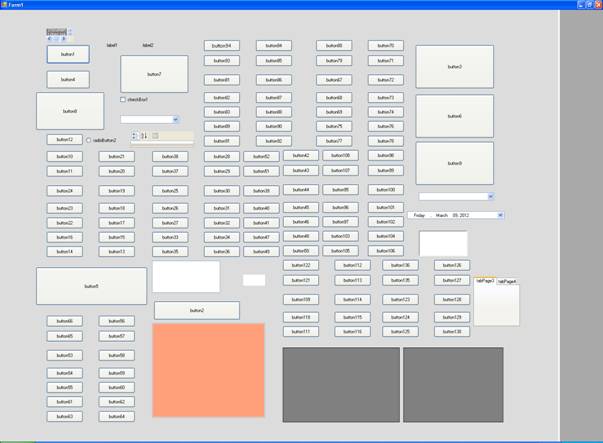
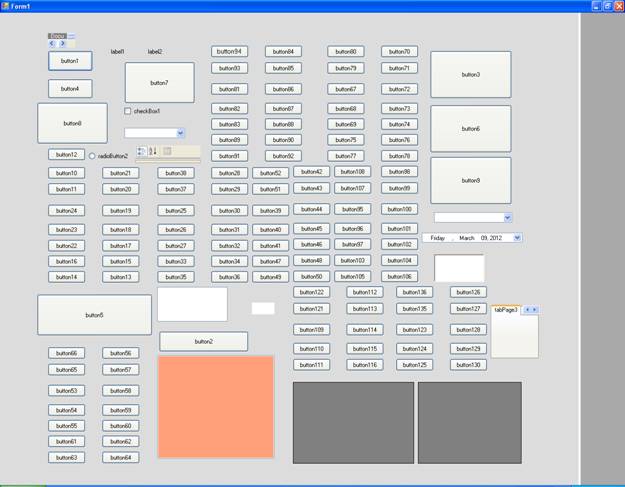
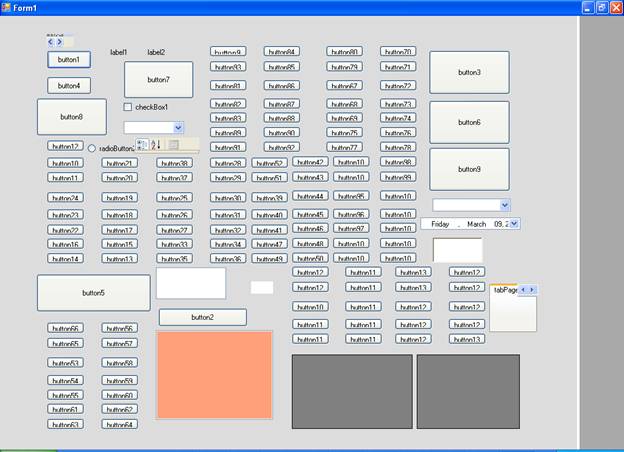
This ResolutionFreePanel is provided as User Control. When started your development, first place this control on the Form, then place whatever the control you want for your application. For testing purpose I had developed a form with n number of controls.
First screen is with 1600*1200 resolutions.
Next screen is with 1280*1024 resolutions.
Next screen is with 1024*768 resolutions.
And we can test the application by clicking the minimize and maximize options of the Form also.