
Windows handles from a mouseclick


3.39/5 (16 votes)
Sep 10, 2003
2 min read

66567

3280
How to get a window handle from a set of co-ordinates
Introduction
This is just a simple demonstration of how to obtain a window handle simply by clicking the window. It uses straight C, and should compile under any compiler that will compile windows GUI programs. The included makefile is designed for Microsoft nmake.exe.
How does it work?
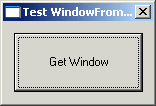
For this method to work you need to create a window, so that you can process the WM_LBUTTONDOWN. In my application I created the "Get Window" button to start the capture, and it is released after the first click, so you need to click the "Get Window" button each time.
Firstly I captured the mouse, using:
HWND SetCapture(HWND hWnd);so I could get
WM_LBUTTONDOWN messages when I clicked on other windows. Then when my window is sent WM_LBUTTONDOWN messages. Firstly I tried using the WM_LBUTTONDOWN x and y positions (HI and LOWORDs of lParam), but after a few odd results, I realized the co-ordinates from the WM_LBUTTONDOWN were relative to my applications window. After a little digging in the Win32 SDK docs I found a function that does what I need. DWORD GetMessagePos(void);
This returns the screen position of the cursor encoded in a DWORD, in the same way as lParam in the WM_LBUTTONDOWN message. The x co-ordinate is in the LOWORD, and y co-ordinate in the HIWORD, then translate this to a POINT structure which is defined as:
typedef struct tagPOINT { // pt
    LONG x;
    LONG y;
} POINT;
Then I use:
HWND WindowFromPoint(POINT Point);which will return the uppermost window under the mouse, i.e. the window you can see under the mouse, or
NULL, if no window is found. I then retrieve the window title using: int GetWindowText(HWND hWnd, LPTSTR lpString, int nMaxCount);And that's the bare bones of it. The use of
g_bCaptureSet is simply to stop me from setting the mouse capture more than once and also so that I only process WM_LBUTTONDOWN messages when I was set up to get window handles.